Bring! Grocery Shopping List
- 144.53K
- 4.1
- Installs
- 10.00M
- Price
- Free
Screenshots
Analysis by Reviewed APKs
Bring! Grocery Shopping List is a shared list app for keeping track of groceries and coordinating shopping with family, roommates, or colleagues. I like that it goes beyond a basic checklist without making the central job hard to understand: add what you need, share the list, and check items off while shopping. It suits people who shop together and want fewer forgotten items or duplicate purchases.
A list the household can share
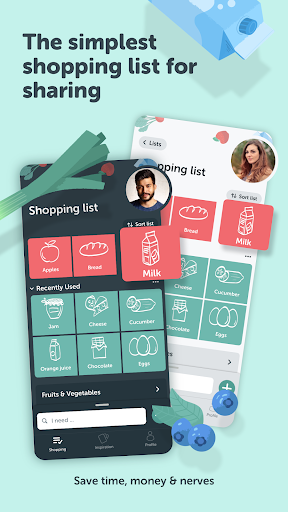
When I first opened Bring!, I imagined using it for the small, recurring gaps that crop up between grocery trips: milk, coffee, and whatever someone just remembered was running low. The app lets me add items as they come to mind, then share the list with the people I shop with. Because changes sync and notifications can keep the household informed, one person can update the list while another is already at the store.
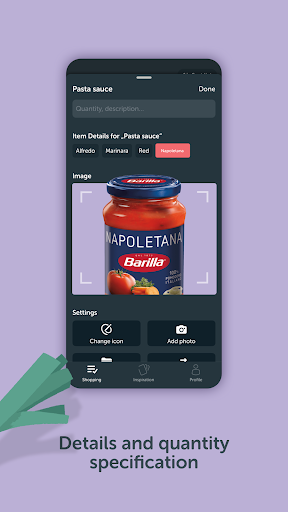
That shared setup is most useful when shopping duties shift around. If I am heading out after work, I can check what has been added instead of trying to remember a conversation from the morning. Item descriptions, quantities, and photos can clarify what someone means, which is handy for the difference between a general request and a particular product. It is a practical answer to the familiar problem of arriving home with the wrong thing—or buying something twice.
More than a paper checklist
A paper list still wins for people who want to jot things down without opening a device, and a notes app can be enough for a solo shopper with a short list. Bring! makes a stronger case when the list is shared, when several people contribute, or when I want items grouped into categories for a supermarket run. It also brings recipes and saved loyalty cards into the same grocery-planning experience.
I would not treat it as a full meal-planning system, a grocery delivery service, or a way to compare every store’s prices. Its core job is organizing what to buy and helping a group stay in sync. The recipe collection and local offers can add useful context, but the app is still most straightforward when I use it as a shopping list rather than expecting it to manage every part of food planning.
Small habits that help
The easiest habit is adding an item as soon as I notice it is running low, rather than waiting until I am ready to leave for the store. That spreads list-making across the week and gives everyone sharing the list a chance to contribute. For items that might be unclear, adding a quantity or a short description prevents guesswork when another person does the shopping.
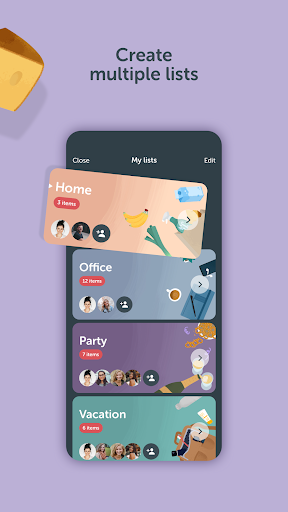
I would also keep separate lists for genuinely different trips or groups, such as a household shop and an office run. Bring! supports multiple lists, and categories can be adjusted to match a supermarket’s aisle layout. If I am cooking from a recipe, importing its ingredients from a website or saving a recipe in the app can make it easier to carry those ingredients into the shopping plan.
More From Our News Desk

Zoom Meetings, Google Meet, or Teams: Which Is Easiest to Join?

How I Build a Free Streaming Lineup With Tubi

Why Crunchyroll Is the Default Anime App for So Many Fans

YouTube TV: A Practical Guide to Cutting Cable

Rummikub and the Small Comfort of Phone Games

TeamViewer Remote Control or AnyDesk for Helping Family?
Who will get the most from it
I would recommend Bring! to households, couples, roommates, and colleagues who regularly share grocery errands. Its real-time list updates address a genuine coordination problem, while quantities, descriptions, and photos help make requests more precise. Multiple lists and category organization are useful for people who do more than one kind of shop, and recipe import can help turn a cooking idea into a practical list.
It may be more app than a solo shopper needs if a simple note already does the job. People who prefer paper, or who do not want grocery planning tied to a connected device, may find the basic checklist approach more comfortable elsewhere. Bring! also includes features beyond list-making, such as recipes, store offers, and loyalty cards; those extras are optional, but the overall experience is best for someone who welcomes a broader grocery organizer.
Bring! Grocery Shopping List is developed by Bring! Labs AG. On Google Play, it has more than 10 million installs and a 4.1-star rating from about 145,000 ratings. It is free to download, with in-app purchases priced from $0.99 to $8.99 per item, and it contains ads. Its content rating is Everyone.
The Google Play version is 4.93.0, and the app was last updated on September 15, 2026. It was released on August 31, 2014. The Android version requirement can vary with device and app updates, so it is worth checking the Google Play details for compatibility.
How Bring! Fits a Real Shopping Routine
A clear first impression
Bring! gets to its central purpose quickly: keeping grocery items in a list that can be shared. When I first set out to use it, I could picture the ordinary household routine it is built for—someone remembers an item, adds it, and the next shopper can see it. The promise is not complicated, which helps the app feel approachable even before exploring its additional tools.
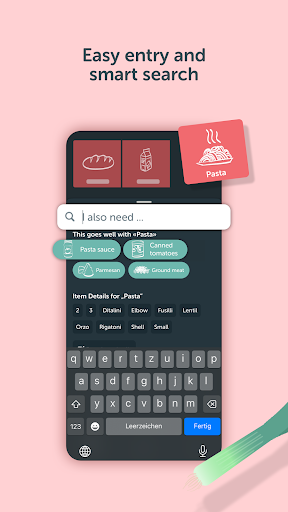
The app supports adding items through smart search or voice command. Search can complete entries and suggest products, while item details let people add quantities, descriptions, or photos. Those options make the setup more flexible than simply typing a string of words into a blank note. I would start with a single shared list, then add more only when separate shopping needs become clear.
The everyday list experience
The day-to-day value is less about one clever feature and more about having a shared place to collect requests. A family member can add something before I shop, and automatic notifications can help the rest of the household follow changes. That is a useful distinction from a list kept on one person’s phone: everyone involved can contribute rather than forwarding reminders or rewriting the same list.
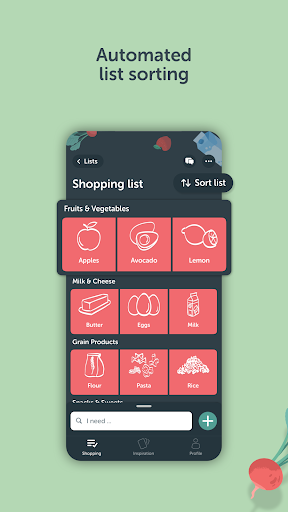
Once I am shopping, automatically grouped items can make the list easier to scan. Bring! also lets users customize categories to fit supermarket aisles, which could reduce backtracking if the layout is familiar. I appreciate that this organization is connected to the practical task at hand. It is there to help me move through a shop, not to turn grocery planning into a complicated project.
Useful extras around groceries
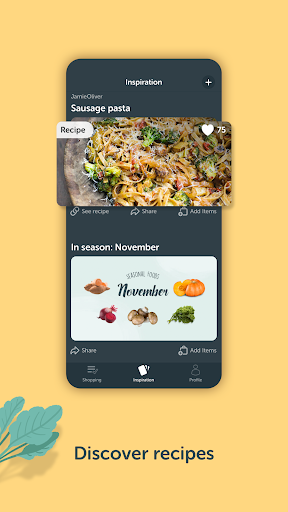
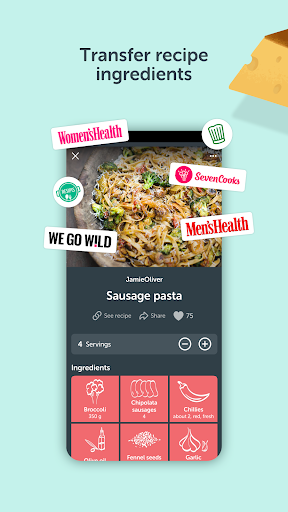
Recipes are the most natural extra for anyone who plans meals while making a list. Bring! includes a collection of recipes, lets users save favorites, and can import ingredients from online recipes. That gives the app a route from “I want to make this” to “these are the ingredients to buy,” without requiring every item to be entered individually.
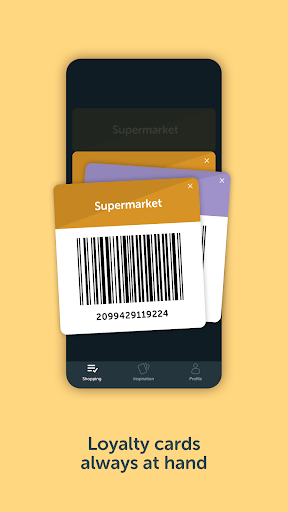
There are also seasonal food recommendations, store offers, and a place to keep loyalty cards. These can make the app more useful between trips, though they are not essential to the shared-list experience. Personalization options include light or dark mode, tile or list view, templates, custom items, and layout choices. I would treat these as ways to shape the organizer, rather than reasons everyone needs to use every feature.
A low-effort weekly routine
A sensible routine is to keep one household list open through the week and add items whenever someone notices a gap. Before shopping, I would scan the entries, check quantities or descriptions on anything ambiguous, and make sure the people sharing the list have added their requests. This shifts the work from a rushed, last-minute memory test to a small ongoing habit.
For a recipe-driven trip, I would save a recipe or import its ingredients from a website, then review the resulting list before heading out. If the household shops at different stores or keeps work and home purchases separate, multiple lists can keep those errands distinct. After a few trips, adjusting categories to match the local store’s aisles may make the list more comfortable to use in person.
A few limits to consider
Bring! depends on people actually adding their requests to the shared list. Notifications and syncing can help keep everyone informed, but they cannot replace the habit of recording what is needed. A shopper who wants a completely offline-feeling paper routine may prefer not to make a phone app the household’s source of truth.
The app also offers more than a checklist, including ads and in-app purchases. Someone who wants only a minimal list may see the extra recipes, offers, and personalization as clutter rather than value. And while recipe importing and store offers sound convenient, they do not turn Bring! into a delivery or price-comparison service. Its strengths remain planning, organizing, and sharing a shopping list.
Bring! Grocery Shopping List works best as a shared household tool: it gives several people one place to add groceries, clarify requests, and keep track of a trip. The recipe and organization features add useful options without changing that central purpose. I would give it a try if grocery coordination currently happens through scattered texts or one person’s memory.
For a solo shopper with a short list, a basic notes app may be plenty. But if more than one person contributes to the shop, Bring! is a practical alternative to paper and repeated reminders. My recommendation is to start with one shared list and use the extra features only if they suit the way you already plan meals and shop.
Bring Grocery Frequently Asked Questions
What is Bring! Grocery Shopping List used for?
Bring! is for creating grocery lists and sharing them with family, roommates, or colleagues. People can add items, include quantities or descriptions, and keep up with changes to a shared list. It also offers recipe saving and ingredient importing, multiple lists, category organization, store offers, and loyalty-card storage.
Which devices can I use Bring! Grocery Shopping List on?
Bring! is available on Android through Google Play. Its description also says it can be used on a smartphone, tablet, Apple Watch, Wear OS, and the web. Device and feature availability can vary, so check the relevant store or service details for your particular device.
What Android version does Bring! Grocery Shopping List require?
The Android version requirement can vary by device and app update. Check the Google Play store details for the current compatibility information before installing, especially if you are using an older phone or tablet.
Does Bring! Grocery Shopping List cost money?
Bring! is free to download and contains ads. It also offers in-app purchases, with listed item prices ranging from $0.99 to $8.99. The available purchase options and prices may vary, so check Google Play for the current details before buying anything.
Is Bring! Grocery Shopping List a good fit for me?
It is a good fit if you want to coordinate grocery shopping with other people, keep multiple lists, or connect recipes with ingredients to buy. If you only need a very simple personal checklist, or prefer keeping shopping plans on paper, its shared features and additional tools may be more than you need.
Pros
- Shared lists help households coordinate shopping and see changes in real time.
- Descriptions, quantities, and photos can make grocery requests clearer.
- Recipe saving and ingredient importing connect meal ideas with shopping lists.
- Categories and multiple lists support different stores, errands, and groups.
Cons
- A simple notes app may feel lighter for shoppers who work alone.
- Ads and in-app purchases may be unwelcome to people seeking a bare checklist.
- Shared lists work best when everyone consistently adds their requests.
- Category
- Shopping
- Version
- 4.93.0











