Microsoft Solitaire Collection
- 284.60K
- 3.9
- Installs
- 10.00M
- Price
- Free

Screenshots


Analysis by Reviewed APKs
Microsoft Solitaire Collection is a card game built around five familiar Solitaire modes, with daily challenges, events and a handful of other casual games alongside them. I’d recommend it to players who like a quick card puzzle they can return to throughout the day, or who want more variety than one version of Solitaire can offer. Its breadth is appealing, though the persistent internet requirement makes it less convenient for truly offline play.
A Handful of Ways to Play
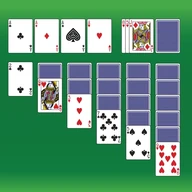
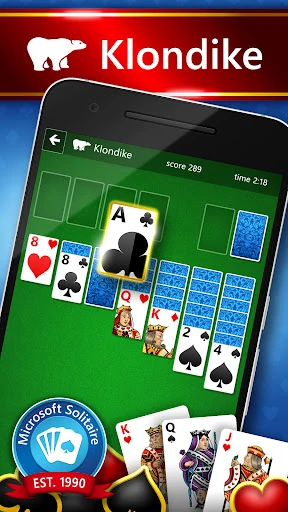
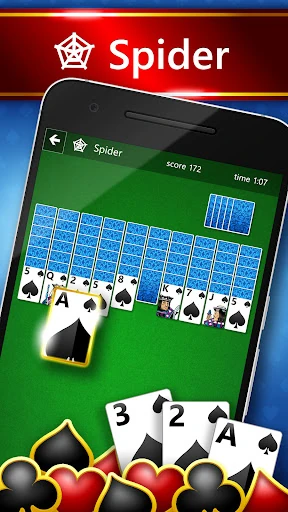
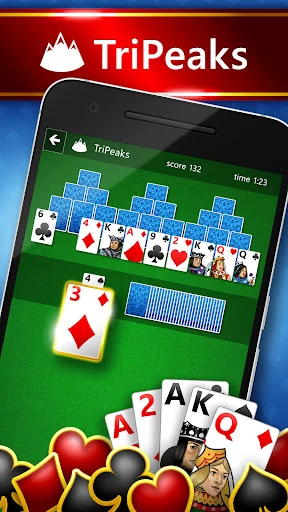
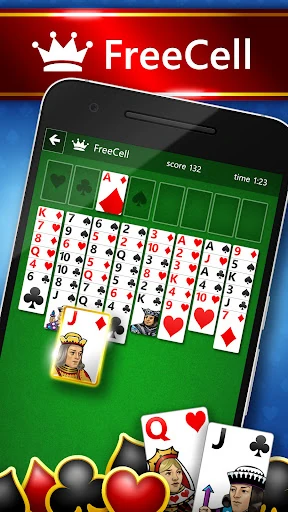
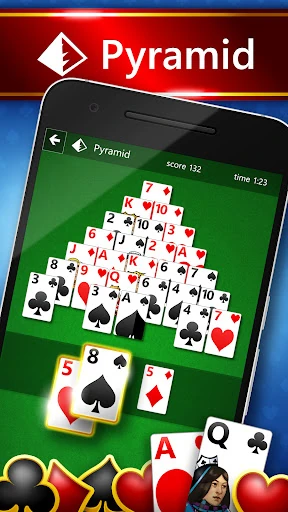
A typical session starts with choosing one of five Solitaire modes: Klondike, Spider, FreeCell, TriPeaks or Pyramid. Each offers a different card puzzle, so switching modes can make a familiar routine feel less repetitive. I like the basic promise here: pick a game, work through the cards and see whether the puzzle comes together. The collection makes that choice the heart of its play, rather than asking me to learn a separate world or story.
There are also five daily challenges, plus weekly rewards and events to give a short visit a specific target. I can imagine opening the app during a coffee break, completing a challenge, then leaving the longer card sessions for later. Difficulty can be adjusted, and wins feed into leveling up and collecting trophies and achievements. Those extra goals give repeat play a little structure without changing the central appeal: solving one card layout at a time.
More Than One Solitaire
Compared with a single-mode Solitaire game, Microsoft Solitaire Collection is the better fit for players who want choices under one roof. Klondike is there for the classic experience, while Spider, FreeCell, TriPeaks and Pyramid offer other familiar approaches to arranging or clearing cards. Daily tasks and events can also suit someone who enjoys having a reason to return, rather than treating every hand as an isolated diversion.
This is not a broad adventure game or a deep competitive card battler. Its identity is casual, repeatable play, with other match-3, arcade and puzzle games available inside the app as extras. That range is useful if I want to change activities, but players seeking a tightly focused single game may prefer a simpler Solitaire app. It also isn’t a good choice for someone who needs reliable offline play: the game requires a persistent internet connection.
Good Habits for Day One
In the first hours, I’d try each of the five card modes before settling into one. That gives a better sense of which kind of puzzle feels relaxing and which one makes me think harder. The game lets players choose a difficulty, so I’d use that option to find a comfortable starting point rather than turning every session into a test. A quick daily challenge is another easy way to sample the collection’s routine.
It helps to treat the rewards as a bonus, not a checklist. The app includes XP, trophies, achievements, weekly rewards and events, but the strongest reason to keep playing is finding a mode I enjoy. If cross-device progress matters, the description says to sign in with a Microsoft or Xbox account. I’d also keep in mind that an internet connection is required to play, so it’s worth planning sessions around a reliable connection.
More From Our News Desk

Zoom Meetings, Google Meet, or Teams: Which Is Easiest to Join?

How I Build a Free Streaming Lineup With Tubi

Why Crunchyroll Is the Default Anime App for So Many Fans

YouTube TV: A Practical Guide to Cutting Cable

Rummikub and the Small Comfort of Phone Games

TeamViewer Remote Control or AnyDesk for Helping Family?
Who Will Enjoy the Collection
I’d recommend Microsoft Solitaire Collection to card-game fans who like variety, quick puzzle sessions and small goals to work toward. It can suit a player who already knows Klondike but wants Spider, FreeCell, TriPeaks and Pyramid close at hand. Daily challenges and events add a routine for people who enjoy returning regularly, while the additional casual games give curious players something else to try without leaving the app.
Players who want one focused Solitaire mode, uninterrupted offline access or a game that never asks for online connectivity may bounce off. The collection requires a persistent internet connection, and its extra activities may feel like clutter to someone who only wants a bare-bones card table. I’d also be cautious about expecting a particular technical experience across every Android device: the minimum Android version is worth checking in Google Play before installing.
Microsoft Solitaire Collection is a free Android card game from Microsoft Corporation. Google Play shows over 10 million installs and a 3.9-star rating from around 285,000 ratings. It contains ads and offers in-app purchases; listed item prices range from $0.99 to $9.99. The content rating is Everyone, making its stated age classification suitable for a general audience.
The supplied version is 4.27.9181.1, and the release date is November 22, 2016. The description says a persistent internet connection is required. It also says Microsoft or Xbox account sign-in is needed for cross-platform play. The minimum Android version is not included among the available facts, so check the Google Play page for the requirement that applies to your device.
The Daily Rhythm of a Card Collection
Settling Into the Game
The collection’s first useful decision is which kind of Solitaire to play. It includes Klondike, Spider, FreeCell, TriPeaks and Pyramid, so newcomers can sample several card puzzles instead of committing to a single format. The description doesn’t lay out a lengthy tutorial, and I wouldn’t approach it expecting a guided campaign. Its appeal is more immediate: choose a mode, take on a layout and learn what suits you through play.
That broad starting menu can be a small hurdle if you’re new to Solitaire and aren’t sure which mode to pick. I’d begin with the name I recognize, then try the others when I want a change of pace. Difficulty selection offers another way to shape the experience. For a casual first session, that combination of mode choice and adjustable difficulty is more useful than chasing every reward from the outset.
Progress Without a Campaign
Progress here comes through repeated play and collection goals rather than a story campaign. Wins contribute to leveling up, and the game includes trophies and achievements. Daily challenges, weekly rewards and events provide additional reasons to return. I find that structure well suited to short sessions: there’s a small objective to aim for, but the central card puzzle remains the main event rather than a lengthy chain of missions.
Difficulty can be increased, which gives players room to seek a greater challenge as they become comfortable. The description doesn’t provide a detailed difficulty curve, so I wouldn’t promise that progression is perfectly even across all modes. Still, having several formats helps with pacing. If one kind of hand stops feeling fresh, changing from Klondike to another mode offers a different puzzle without requiring a break from the collection.
Five Modes and More
The five Solitaire modes are the clearest feature: Klondike, Spider, FreeCell, TriPeaks and Pyramid. Alongside those, the app offers five new challenges each day, weekly rewards, events and achievements. There are also leaderboards, giving players a way to engage with other players’ results. I’d expect the card modes to carry most of the appeal, with the regular challenges providing a simple structure for anyone who likes a daily target.
The app also includes other match-3, arcade and puzzle games: Microsoft Bubble, Jewel, Gravity Blocks, Gem Drop and Mahjong 3D. That’s a notable addition for a Solitaire collection, particularly when I want a different kind of casual puzzle without switching to another app. It does make the product broader than its name suggests. Players who only want card games can stick with the five Solitaire options, while the extra games are there to explore.
Purchases and Ad Trade-Offs
The game is free to download and play, but Google Play indicates that it contains ads and offers in-app purchases. Listed purchase items range from $0.99 to $9.99. Those are useful facts to know before settling into a daily routine, especially if you prefer games with no advertising or optional spending. I can’t infer the exact effect of each purchase from the available details, so I’d check the in-app information before buying anything.
The collection’s core appeal is its selection of card modes and casual extras, while the ads and purchase options are part of the free-to-play arrangement. Whether that feels fair will depend on how much interruption a player is willing to tolerate. I’d approach it as a free game with optional paid items, rather than assuming every feature is included without prompts. The content rating is Everyone, and the app’s basic card-game premise is broadly accessible.
The Connection Matters
The biggest practical limitation is clear: the description requires a persistent internet connection. That rules out treating this as a dependable offline companion for flights, commutes through dead zones or other stretches without service. It may be easy to play in small spare moments, but those moments need to happen somewhere with a working connection. I’d check that before planning to rely on the game away from home.
Cross-platform play requires signing in with a Microsoft or Xbox account, according to the description. That can be useful for players who want their progress saved across devices, but it is an extra step to consider. System requirements and online features may vary by country and can change over time. Since the minimum Android version isn’t provided here, checking Google Play for device compatibility is a sensible part of getting started.
Microsoft Solitaire Collection works best as a flexible casual-game cabinet: five familiar card modes, recurring challenges and a few other puzzle games to break up the routine. I like the choice it offers without losing sight of the straightforward appeal of Solitaire. Ads, optional purchases and the required internet connection are real trade-offs, though, especially for players who want a fully offline card game.
I’d recommend it to anyone who enjoys switching between Solitaire variants and likes having daily goals to return to. If you want a simple, focused game that works without a connection, this is a less comfortable fit. For connected play and a broad selection of casual puzzles, it’s a solid collection to try for free.
Microsoft Solitaire Frequently Asked Questions
Is Microsoft Solitaire Collection free to play?
Yes. Microsoft Solitaire Collection is free on Google Play. It contains ads and offers in-app purchases, so free access does not mean the app is ad-free or that every optional item costs nothing. Google Play lists purchase items from $0.99 to $9.99. Check the store page for current purchase details before installing.
What in-app purchases does Microsoft Solitaire Collection have?
The game offers in-app purchases, with items listed on Google Play in a range from $0.99 to $9.99. It also contains ads. The available details don’t specify what each purchase includes, so I’d review the purchase information shown in the game before spending. Prices and available items can vary, so the store page is worth checking.
Can I play Microsoft Solitaire Collection offline?
No. The game description says a persistent internet connection is required to play. That means I wouldn’t count on it as an offline option for a flight or a place with unreliable service. Online features and requirements may change or vary by country, so it’s sensible to check the current Google Play details if connectivity is a deciding factor.
Which devices support Microsoft Solitaire Collection?
Microsoft Solitaire Collection is an Android game. Its description says Microsoft or Xbox account sign-in is required for cross-platform play, but the minimum Android version isn’t included in the supplied details. Check Google Play for the current device and system requirements before installing, since requirements and online features may vary by country or change over time.
Is Microsoft Solitaire Collection suitable for children?
Google Play gives Microsoft Solitaire Collection an Everyone content rating. That is its stated age classification; it doesn’t replace a parent’s judgment about whether the ads, optional purchases or online features suit a particular child. The game requires an internet connection, and purchase options are available. Review the current store page and in-app information for details.
Pros
- Five familiar Solitaire modes make it easy to change the kind of card puzzle.
- Daily challenges, events and weekly rewards give short sessions clear goals.
- Extra match-3, arcade and puzzle games add variety beyond the card modes.
- Difficulty selection supports players looking for a more demanding challenge.
Cons
- A persistent internet connection is required, so it is not an offline option.
- Ads and optional purchases may interrupt a player seeking a completely free experience.
- The broad collection may feel less focused than a single-mode Solitaire game.
- Category
- Card
- Version
- 4.27.9181.1