Geometry Dash Lite
- 7.74M
- 4.4
- Installs
- 500.00M
- Price
- Free
Screenshots
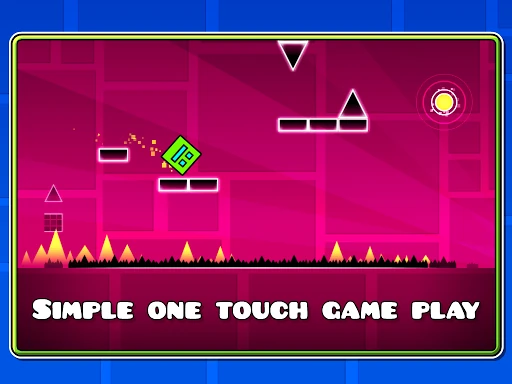
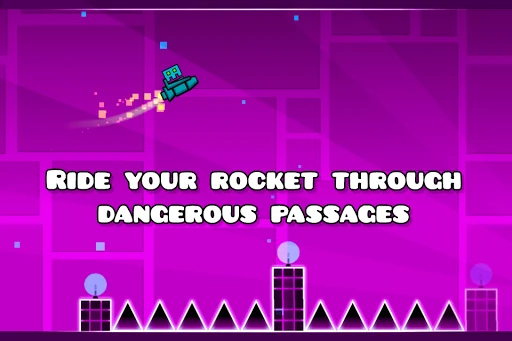
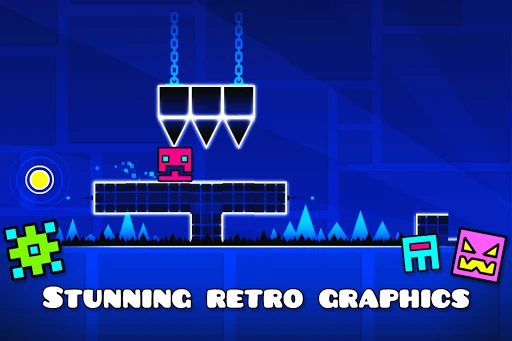
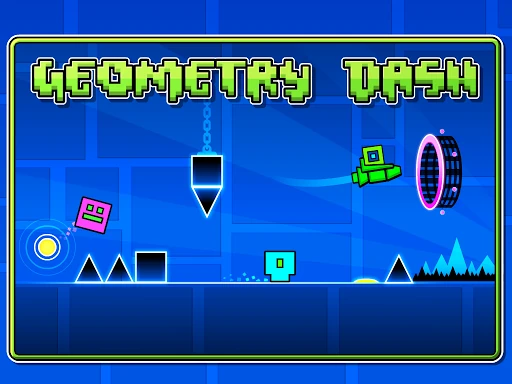
Analysis by Reviewed APKs
Geometry Dash Lite is a rhythm-based arcade platformer built around one-touch timing, hazardous courses, and repeated attempts to get a little farther. I found it best suited to players who enjoy focused, demanding games that are easy to pick up but hard to master. Its musical pace gives each run a satisfying pulse, though the difficulty can be unforgiving. I like it most as a compact challenge for short breaks.
One tap, one more try
A typical session is a quick cycle of starting a level, watching the course rush toward me, and tapping at the right moments to jump or navigate hazards. The controls are simple enough that I can begin playing immediately, but the narrow timing windows make each attempt feel deliberate. When I hit an obstacle, I want to try again while the pattern is still fresh in my mind.
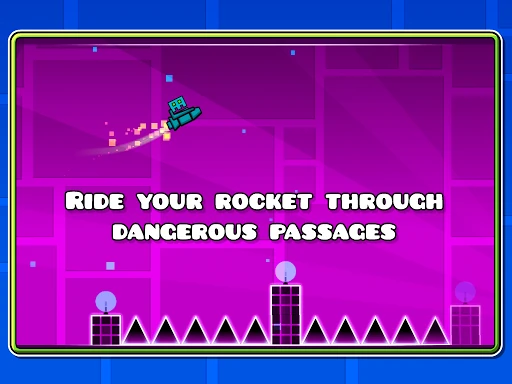
The rhythm-based design gives that repetition a useful shape: I am not only reacting to spikes and passages, but also learning how the level’s timing fits together. Some sections ask me to jump, while others bring in flying or gravity-flipping gameplay. Practice mode offers a way to sharpen my skills, so a difficult stretch can become something to study rather than a reason to quit outright.
For patient platformer fans
Geometry Dash Lite suits players who like arcade platformers with clear controls and a high skill ceiling. It is especially appealing if you enjoy replaying a short sequence until your timing improves. Compared with a slower platform game, this one puts more emphasis on rhythm and quick reactions than on exploring a broad environment. The immediate action makes it easy to fit into a spare moment, even if mastering a level takes much longer.
This is not a relaxed game where I can drift through a course without paying attention. Its description promises a near-impossible challenge, and that difficulty is part of the appeal. If you prefer forgiving progress, leisurely exploration, or a story-led adventure, the repeated precision demands may wear thin. The Lite edition is also a smaller offering than the full version, which is described as having additional levels and other features.
A sensible first-hour plan
When I first opened Geometry Dash Lite, the most useful adjustment was to treat early attempts as practice, not tests of reflexes. I focused on learning when obstacles arrived and how the rhythm lined up with the action. A single missed jump can make a run feel abrupt, but it also shows exactly where I need to pay closer attention on the next try.
I would use practice mode when a section keeps catching me out, then return to the regular challenge with its timing in mind. There is no need to rush through every attempt; short, attentive runs are more helpful than tapping randomly. As icons and colors become available to unlock, try a change if customization adds a little fun, but keep the main goal simple: build consistency through the tricky passages.
More From Our News Desk

Zoom Meetings, Google Meet, or Teams: Which Is Easiest to Join?

How I Build a Free Streaming Lineup With Tubi

Why Crunchyroll Is the Default Anime App for So Many Fans

YouTube TV: A Practical Guide to Cutting Cable

Rummikub and the Small Comfort of Phone Games

TeamViewer Remote Control or AnyDesk for Helping Family?
Who will enjoy the challenge
I would recommend Geometry Dash Lite to players who like rhythm games, precision platforming, and the satisfaction of gradually improving at a difficult level. It works well for someone who wants a game that starts quickly and does not require a complicated control scheme. If you are happy to repeat a section and learn its timing, the compact action can make even a short session feel rewarding.
Players who dislike restarting after mistakes may bounce off, as may anyone looking for a broad collection of leisurely activities. The one-touch approach is approachable, but it does not make the challenge gentle. I would also steer players seeking the extra level and feature range described for the full version toward checking that edition instead. Lite makes more sense when the core rhythm-platforming challenge is what you want.
Geometry Dash Lite is an arcade game from RobTop Games. On Google Play it has more than 500 million installs and a 4.4-star rating from about 7.7 million ratings. It is free to download, and the store information says it contains ads. The listed content rating is Everyone 10+, a useful detail for families deciding whether its action and challenge suit a particular player.
The listed Android requirement is Android 6.0 or later, and the current version shown is 2.2.147. The game was released on September 15, 2013, with its latest listed update dated January 30, 2026. The store information says there are no in-app purchases. Availability, requirements, and store details can change, so it is sensible to check Google Play before installing.
Learning the Rhythm of Each Run
Starting with the basics
The onboarding is easy to understand because the central interaction is so simple: tap to control the action. I did not have to learn a complicated set of inputs before trying a level. The real learning comes from seeing how quickly the hazards arrive and matching my timing to the rhythm. That makes the first few attempts intuitive to begin, even if they are not immediately successful.
I found it helpful to keep my attention on the section directly ahead rather than trying to anticipate an entire level at once. A mistake is a cue to remember that particular moment. Practice mode is a useful part of the learning process, especially when I want to work on precision without treating every run as a final test.
Progress by getting steadier
The main sense of progress comes from improving my control and handling more of a demanding course. Geometry Dash Lite does not need a complicated control layout to create difficulty; the challenge comes from timing jumps, flying sections, and gravity changes around hazards. Early progress can feel uneven, because one small lapse can end a run, but recognizing a pattern makes a later attempt feel more manageable.
The pacing suits players who like focused repetition. I can spend a few minutes trying to improve, then step away without needing to keep track of a long chain of tasks. If I am getting frustrated, practice mode gives me a more measured way to work on a difficult section. I would not expect the game to become easy just because the controls are simple.
Modes and customization
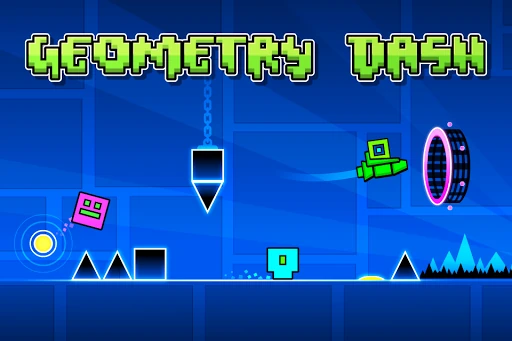
The feature set keeps the focus on rhythm-based action platforming. The description highlights jumping, flying, and flipping gravity, along with dangerous passages and spiky obstacles. Those changing actions give the core one-touch idea some variety without turning the game into a different genre. The challenge is still about responding accurately and learning what each stretch of a level demands.
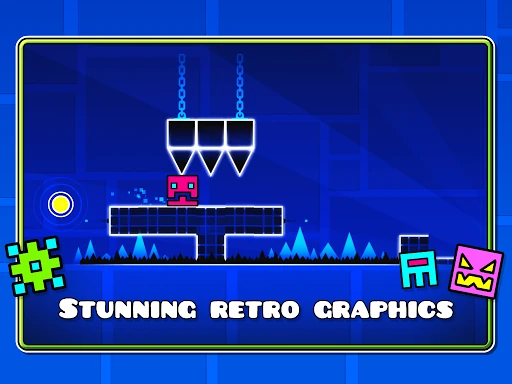
Practice mode is the standout option for players who want to sharpen their skills. There are also icons and colors to unlock for character customization, which offers a small personal touch alongside the level challenges. The full version is described as adding new levels, soundtracks, achievements, and an online level editor, so Lite is best approached as its own focused entry rather than the complete feature set.
Ads and spending
Geometry Dash Lite is free to download, and Google Play identifies it as containing ads. The store information says it has no in-app purchases, so there is no listed purchase menu for paid items to factor into my play. That makes the basic spending picture straightforward, though ads are still part of the free version and may affect how uninterrupted a session feels.
For a game built around short attempts and concentration, an interruption can be more noticeable than it would be in a slower experience. I would keep that in mind if I am settling in for a longer stretch of practice. The presence of ads does not change the central challenge, but players who strongly prefer ad-free play may want to consider how that trade-off fits their habits.
A few practical limits
The main limit is the game’s demanding timing. A quick session can turn into repeated attempts at the same tricky passage, which is satisfying for patient players and tiring for others. There is no need to play for a long time at once, but the near-impossible challenge described by the game is a fair signal that it will not suit everyone looking for a gentle daily distraction.
Google Play lists Android 6.0 as the minimum requirement. The game’s description and store details do not establish whether play works offline, so I would check the store information if that is important before relying on it during travel. The full version is presented as offering additional content, another consideration for anyone who wants a wider range of levels and features.
Geometry Dash Lite gets a lot out of a very small idea: one-touch control, rhythmic courses, and the urge to make one more attempt. I enjoyed how quickly I could start and how practice mode gave me a way to improve deliberately. Ads and tough timing are real drawbacks, but neither obscures what the game is trying to do.
I recommend it to patient players who enjoy precision platforming and learning through repetition. If you want relaxed progress or a large feature set, this may not be the best fit; the full version is described as offering more. For a free, focused arcade challenge, Lite is a strong place to test whether its rhythm clicks with you.
Geometry Dash Lite Frequently Asked Questions
Is Geometry Dash Lite free to play?
Yes. Google Play lists Geometry Dash Lite as free to download. The store information also says the game contains ads, so free play does include advertising. Store details can change, so check the current Google Play page before installing if you want the latest information.
Does Geometry Dash Lite have in-app purchases?
The store information says Geometry Dash Lite does not offer in-app purchases. It does contain ads, however. If you are comparing the Lite edition with the full version, the description says the full game includes additional levels and features; check Google Play for current edition details.
Can I play Geometry Dash Lite offline?
The available game information does not specify whether Geometry Dash Lite supports offline play. If you need it to work without an internet connection, check the Google Play page or test it on your device before planning to rely on offline access.
What devices can run Geometry Dash Lite?
Geometry Dash Lite is listed for Android, with Android 6.0 or later as the minimum requirement. Device compatibility can depend on the device and current store requirements, so check Google Play for your specific phone or tablet before downloading.
Is Geometry Dash Lite suitable for children?
Google Play gives Geometry Dash Lite an Everyone 10+ content rating. Its gameplay centers on rhythm-based platforming, hazards, and a high level of challenge. Parents can review the current store rating and details to decide whether it is suitable for a particular child.
Pros
- Simple one-touch controls make it quick to start, while timing gives the challenge real depth.
- Rhythm-based levels combine jumping, flying, and gravity changes to vary the action.
- Practice mode provides a focused way to sharpen skills on difficult sections.
- Unlockable icons and colors add a small amount of character customization.
Cons
- The demanding timing and repeated attempts may frustrate players who prefer forgiving progress.
- Ads can interrupt the focus that short, precise runs require.
- The Lite edition has fewer features than the full version described by the developer.
- Category
- Arcade
- Version
- 2.2.147