Call of Duty®: Mobile
- 16.58M
- 4.3
- Installs
- 100.00M
- Price
- Free

Screenshots
Analysis by Reviewed APKs
Call of Duty®: Mobile is an online first-person shooter that packs quick multiplayer matches and large battle royale games into one free-to-play app. I’d point it toward players who like competitive shooting, familiar map-based modes, and plenty of weapon customization. Its biggest strength is variety: there is more than one way to spend a short session. The trade-off is that it needs an internet connection and has a lot to keep up with.
A Match, Then Another
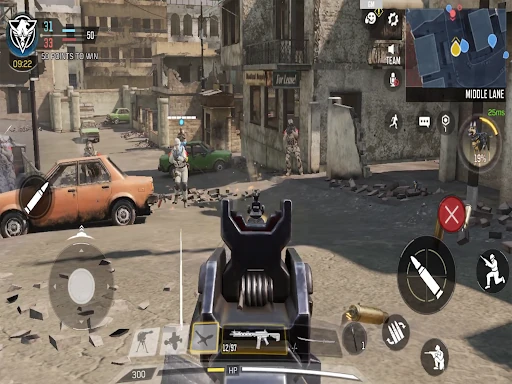
A typical session can start with a fast 5v5 match and stretch into several different modes. Team Deathmatch is a straightforward place to get moving, while Domination and Hardpoint ask your team to fight over objectives. Search & Destroy has a more deliberate, high-stakes feel. Maps such as Nuketown, Shipment, Rust, and Raid give those familiar formats different shapes and rhythms.
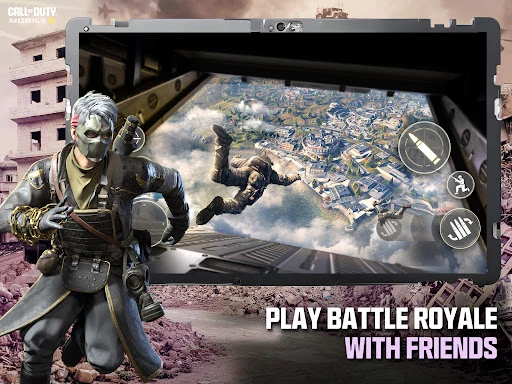
The basic appeal is easy to understand: choose a mode, join an online match, and use your weapons and loadout to help your team. Afterward, progression and seasonal challenges offer reasons to queue again. When I want a change of scale, battle royale shifts the focus from compact rounds to squad survival, tactical movement, vehicles, and the final fight. That variety helps the game fit both quick visits and longer play.
More Than One Kind of Shooter
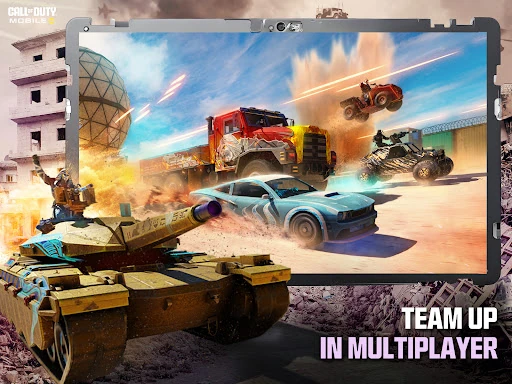
Compared with a shooter built around just one competitive format, Call of Duty: Mobile gives players several distinct ways to play. Its compact multiplayer modes are suited to people who enjoy repeated rounds on recognizable maps, while ranked play adds a more competitive progression path. Battle royale is a different proposition: larger maps, squads, vehicles, and longer matches replace the quick reset of a small-team round.
This is not a solo, offline shooter for filling a commute without a connection. The game requires internet access, and its multiplayer focus means other players are central to the experience. It also isn’t just a battle royale app: the smaller modes are a substantial part of the package. If you prefer a quiet, self-paced campaign or dislike competitive online play, this probably isn’t the right fit.
A Smoother First Few Hours
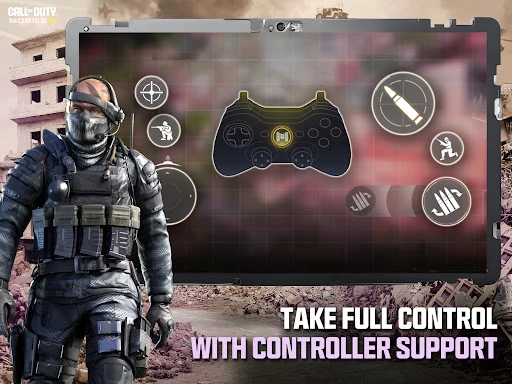
I’d start with a core multiplayer mode and learn the feel of a map before worrying about ranked matches or elaborate loadouts. Team Deathmatch is an uncomplicated introduction, while Frontline offers another mode to try. Once the basics feel comfortable, switching to objective modes shows how much attention positioning and teamwork can matter. The adjustable controls and multiple HUD options are worth exploring early, since the layout can be tailored to your device.
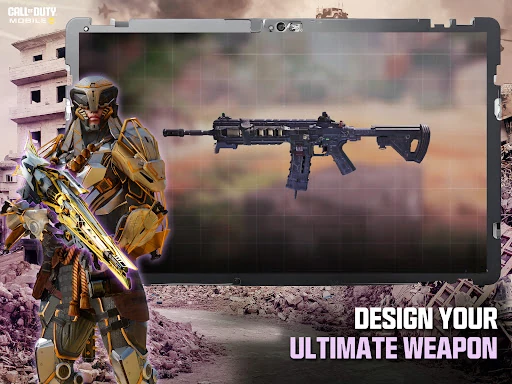
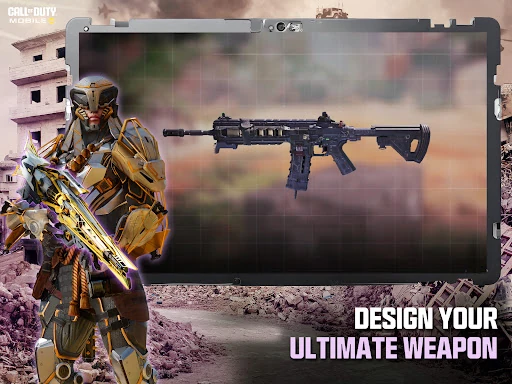
As new weapons and customization options become available, experiment rather than assuming one build suits every situation. The game supports attachments, perks, scorestreaks, operators, and skins, with loadouts for different approaches, from close-range aggression to long-distance sniping. I’d also pay attention to optional HD resources and map downloads: choosing what to download can help manage the game’s size. Seasonal challenges and limited-time playlists are useful things to check when you want a new goal.
More From Our News Desk

Zoom Meetings, Google Meet, or Teams: Which Is Easiest to Join?

How I Build a Free Streaming Lineup With Tubi

Why Crunchyroll Is the Default Anime App for So Many Fans

YouTube TV: A Practical Guide to Cutting Cable

Rummikub and the Small Comfort of Phone Games

TeamViewer Remote Control or AnyDesk for Helping Family?
Who Will Enjoy the Match
I’d recommend Call of Duty: Mobile to players who enjoy fast online firefights but don’t want to be limited to one match type. There are classic small-team modes, ranked competition, and battle royale, plus a steady rotation of seasonal events and challenges. Fans of customizing weapons and loadouts should also find plenty to tinker with between matches. It works especially well for someone who likes alternating between a quick round and a longer squad session.
Players who want offline play, a quiet single-player experience, or a shooter without ongoing seasonal content may bounce off it. The online focus also means your enjoyment depends in part on being comfortable competing with other people. With ads, optional purchases, and a Mature 17+ content rating, it may not suit every household. I’d suggest checking the store’s age guidance and discussing purchases with younger players before they start.
Call of Duty: Mobile is an action game from Activision Publishing, Inc. On Google Play, it has over 100 million installs and a 4.3-star rating from around 16.6 million ratings. It launched on September 30, 2019, and the version identified in the store information is 1.0.57. The game is free to download, with ads and optional in-app purchases.
The stated in-app purchase range is $0.99 to $99.99 per item. Google Play gives the game a Mature 17+ content rating. The supplied store information does not give a minimum Android version, so check Google Play for device compatibility before installing. An internet connection is required to play, and optional HD resources, maps, and other content downloads let players manage which game files they add.
How the Modes Shape the Experience
Finding Your Feet
The range of modes can make the game look busier than it feels once you choose a starting point. A basic multiplayer round gives you room to get used to the shooting and map layouts without first committing to a long battle royale match. The familiar mode names help too: if you already know what Team Deathmatch or Domination asks of a team, you can get into the action quickly.
There is a practical bit of setup to consider on a phone or tablet. Controls, settings, and HUD options can be adjusted, so it is worth spending a little time finding a layout that feels comfortable rather than accepting the first arrangement. Optional HD resources and content downloads also give you some control over what is stored on the device. That flexibility is useful, though it does mean setup can involve choices beyond simply launching a match.
Progress Without a Straight Line
Progression comes through ranking up, unlocking and upgrading weapons, and working through challenges and seasonal rewards. Ranked Multiplayer provides a more competitive ladder, with seasonal rewards and Legendary rank as a high-end goal. Players who enjoy having a clear measure of improvement may find that satisfying. Those who would rather play casually can focus on the regular modes and explore different weapon setups without making ranked competition the whole point.
The pacing changes according to what you choose. Small-team matches keep the action focused on a compact map and an immediate objective; battle royale asks for more patience as squads navigate a larger space and try to survive to the end. Rotating playlists and seasonal activities can refresh the routine, but the volume of progression and events may feel like a lot if you only want one simple mode. There is no single required path through all of it.
A Broad Set of Ways to Play
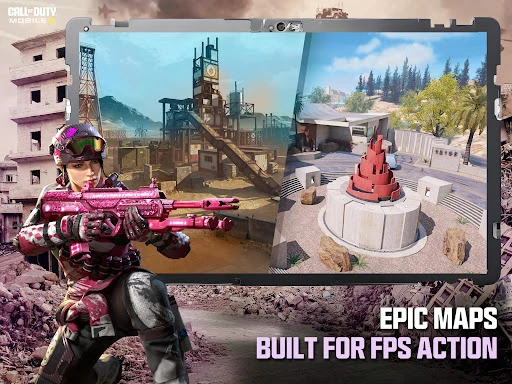
The multiplayer selection covers Team Deathmatch, Domination, Search & Destroy, Hardpoint, Frontline, and limited-time playlists. The game also includes maps associated with the series, including Nuketown, Shipment, Rust, Terminal, Raid, and Hijacked. Having both objective-based and more direct match formats makes it easier to choose a round that suits your mood, rather than relying on one central ruleset.
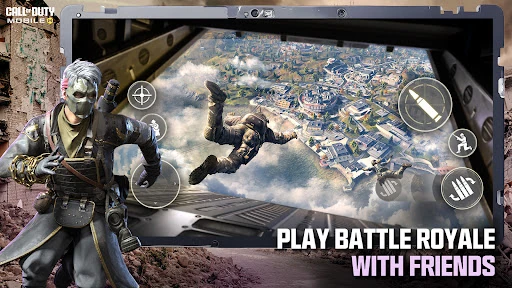
Battle royale is the major change of pace. Matches support squads in 100-player survival games, with vehicles and tactical gadgets as part of the mix. That setup emphasizes movement and decisions about when to engage, instead of the constant close-range encounters of a small map. Seasonal modes, events, missions, and themed rewards add another layer, and updates can bring new maps, modes, operators, and weapons.
Spending and Match Fairness
The game is free to download, but it contains ads and offers in-app purchases priced from $0.99 to $99.99 per item. That range is broad enough that I’d treat optional spending as something to review carefully, particularly if a younger player will be using the device. The store information also describes battle passes and rewards, but the available details don’t establish exactly how every purchase works.
There is plenty to pursue through ranking, challenges, and seasonal activities, alongside the purchase options. I can’t conclude from those details alone how any particular paid item affects a match or how often ads appear during play. The practical approach is to regard purchases as optional, check the current store details, and use device-level purchase controls if needed. Nothing about the free download requires a player to buy an item just to try the game.
Things to Keep in Mind
The clearest limitation is connectivity: an internet connection is required, so this is not an option for offline play. Multiplayer also naturally asks you to spend time with other people’s matches and the pace of online competition. Battle royale sessions are a different commitment from quick 5v5 rounds, so it helps to choose a mode that fits the time you have rather than expecting every match to be brief.
Storage is another practical consideration because the game offers optional HD resources, maps, and content downloads. The game describes adjustable settings and controls, but no minimum Android version is provided in the supplied store details; compatibility is worth checking on Google Play for your device. The Mature 17+ rating is important context, too, and seasonal events and rotating modes may not always be available in the same form.
Call of Duty: Mobile earns its appeal through range: compact team matches, ranked play, and large battle royale sessions all sit under one roof. I like that players can move between very different match rhythms and customize loadouts around their preferred approach. The main compromises are equally clear: it is online-only, has ads and optional purchases, and asks players to keep up with a substantial service-style game.
I’d recommend it to fans of competitive shooters who want several formats and are comfortable playing online. Start with a straightforward multiplayer mode, adjust the controls, and branch out from there. If you need offline action or prefer a self-contained single-player game, look elsewhere. For everyone else, the free download makes it easy to see whether its pace and variety suit you.
Call of Duty Frequently Asked Questions
Is Call of Duty: Mobile free to play?
Yes. Call of Duty: Mobile is free to download on Google Play. The game contains ads and offers optional in-app purchases, so free access does not mean the app has no paid options. Store details and availability can vary, so check Google Play for the current information before installing.
What in-app purchases does Call of Duty: Mobile offer?
Google Play lists in-app purchases priced from $0.99 to $99.99 per item. The game description mentions battle passes, seasonal rewards, and other unlocks, but the exact contents and prices may change. Check the current store information and in-game purchase details before deciding whether to spend.
Can I play Call of Duty: Mobile offline?
No. The game description says an internet connection is required to play. Its modes are built around online multiplayer, including team matches, ranked play, and battle royale. If you need a game that works without a connection, this one is not a suitable choice.
What devices can run Call of Duty: Mobile?
Call of Duty: Mobile is an Android game, and the supplied store information does not give a minimum Android version. Compatibility can depend on your device and may vary, so check Google Play for the current requirements. Optional HD resources and map downloads can also affect how much content you install.
Is Call of Duty: Mobile suitable for younger players?
Google Play gives Call of Duty: Mobile a Mature 17+ content rating. It also includes social features for connecting and playing with friends, optional purchases, and push notifications that players can choose whether to use. Check the current store rating and consider whether its content and online features suit the player.
Pros
- Offers quick team matches, ranked play, and large battle royale sessions.
- Includes familiar maps and several distinct multiplayer modes.
- Loadouts support a range of weapons and play styles.
- Adjustable controls and optional downloads offer practical flexibility.
Cons
- An internet connection is required for every play session.
- Ads and a wide range of optional purchases are part of the package.
- Seasonal content and multiple progression paths may feel like a lot to follow.
- Category
- Action
- Version
- 1.0.57