Pinochle Classic
- 4.14K
- 4.3
- Installs
- 100.00K
- Price
- Free
Screenshots
Analysis by Reviewed APKs
Pinochle Classic is a single-player card game built around the traditional trick-taking game, with single- and double-deck options and computer opponents at three difficulty levels. I like that it gives experienced players room to adjust rules while offering tools that can help newer players think through a hand. It is best suited to people who enjoy careful decisions and repeatable card sessions, rather than a broad collection of game modes.
A Hand at a Time
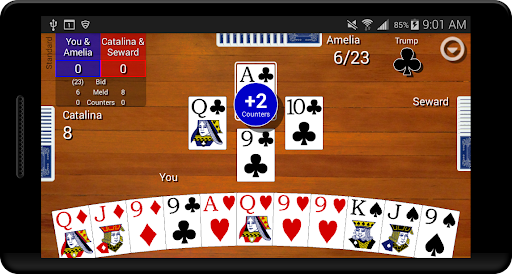
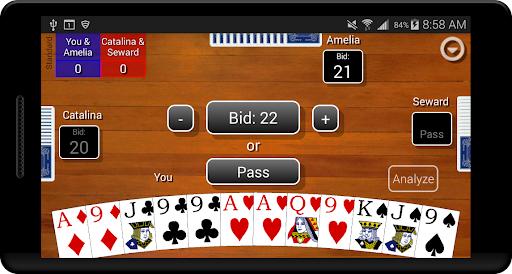
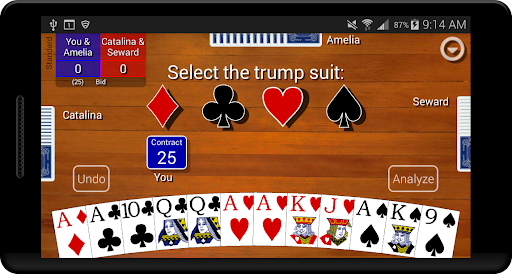
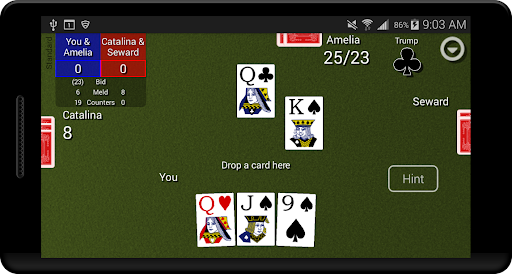
When I first opened Pinochle Classic, the appeal was straightforward: choose a game setup, sit down with a hand, and make a series of bids and card plays. Each round asks you to judge what your cards may be worth, then follow through as the trick-taking play unfolds. It has the measured rhythm of a traditional card game, where a small choice early on can shape how the rest of the hand feels.
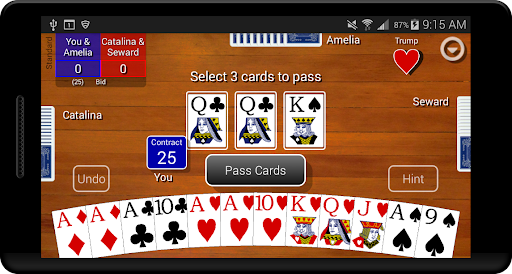
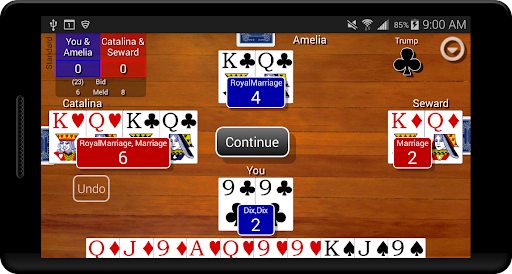
I spent a while switching between hands and found that the main loop stays focused on reading your cards, bidding, and playing them with the goal of meeting your contract. The game keeps statistics for wins and losses, average contract, average meld, average counters, and bid success, so there is a record of how your decisions are going over time. That makes a session feel useful even when a hand goes badly.
For Pinochle Players
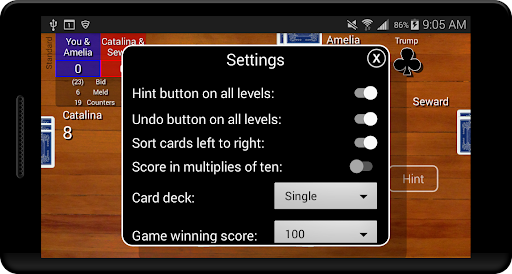
Compared with a simple digital card table, Pinochle Classic gives you more control over the rules and more ways to inspect a hand. You can choose single or double deck play and adjust options such as scoring in multiples of ten, the winning score, minimum bid, and card-passing count. That flexibility makes it a better fit for players who already know what kind of Pinochle they want to play, or who are willing to learn through practice.
This is not a general card-game collection, a social room for playing with friends, or a tournament-focused experience based on the available description. Its draw is the card play against computer opponents, not a menu of unrelated games or online competition. If you want a quick visual puzzle with little need to remember earlier cards, the deliberate pace and emphasis on bidding strategy may feel more demanding than relaxing.
Start With Simple Settings
For the first few hours, I would keep the setup close to the rules you already know, rather than changing several options at once. Begin on Easy or Standard, then pay attention to how the game’s bids and trick play compare with your own expectations. Because the rules can be adjusted, changing one setting at a time makes it easier to see what actually changes the feel of a hand.
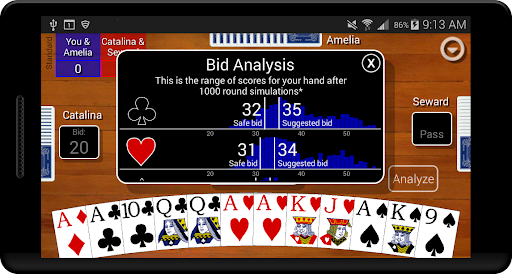
The optional hint and analyze tools are useful starting points, especially if bidding is the part that slows you down. Hints show what the Pro computer player would play in your situation, while analysis simulates many games and estimates likely round-score outcomes for your hand. I would check those tools after making my own choice first; that way, they help explain a decision instead of replacing the practice of making one.
More From Our News Desk

Zoom Meetings, Google Meet, or Teams: Which Is Easiest to Join?

How I Build a Free Streaming Lineup With Tubi

Why Crunchyroll Is the Default Anime App for So Many Fans

YouTube TV: A Practical Guide to Cutting Cable

Rummikub and the Small Comfort of Phone Games

TeamViewer Remote Control or AnyDesk for Helping Family?
Who Will Enjoy the Table
I would recommend Pinochle Classic to players who already enjoy Pinochle and want a flexible way to play against the computer. The three difficulty levels give you room to start gently and then face opponents that make stronger decisions. The customizable rules and detailed statistics also suit players who like comparing sessions, testing a preferred ruleset, or seeing whether their bidding becomes more consistent over time.
Newcomers can still get something out of it, especially by using the hints and hand analysis, but they should be comfortable learning through repeated rounds. Players looking for multiplayer matches, a tournament ladder, or a wider variety of card games may bounce off because those are not part of the described experience. It is a focused practice table, and its enjoyment depends on whether the decisions in Pinochle are the point for you.
Pinochle Classic is made by Games By Post and is free to download on Google Play. It has over 100,000 installs and a 4.3-star rating from around 4,100 ratings. The game contains ads, and the store information gives no in-app purchases. Its content rating is Everyone, so its listed age suitability is broad.
The listed version is 2.3, with a release date of March 15, 2019, and an update date of March 9, 2026. The minimum Android version is not included in the available store facts, so check Google Play for the requirement that applies to your device. Those practical details are worth reviewing before installing, particularly if you use an older phone or tablet.
Learning the Rhythm of Each Hand
Getting Into the Game
Pinochle Classic is built for players who want to get to a hand without a lot of setup friction, but there is still a meaningful choice before play: selecting single or double deck and deciding which rule variations to use. I found that the best first move is to pick familiar rules, if you have them, and leave optional aids available. That lets you learn the game’s flow without also trying to interpret a completely different ruleset.
If you are new to Pinochle, the hint option can make individual card choices easier to understand. It shows which card the Pro computer player would choose in your position, giving you a point of comparison rather than leaving you to guess. I would treat it as a learning aid, not an automatic answer key: consider your own play first, then look at the suggestion and think about what it reveals.
Progress and Difficulty
The three computer levels—Easy, Standard, and Pro—give the game a clear way to increase the challenge. The cards are dealt randomly to all players, while the difficulty comes from how well the computer remembers played cards and decides how to use its hand. That distinction matters: a tougher match is not described as receiving better cards, but as facing more capable decisions across the same basic deal.
Progress here is less about unlocking a long series of new activities and more about improving your play. The statistics help you check whether your average contract, meld, counters, or bid success is moving in the right direction. I like that this gives repeated sessions a practical thread, although players who need frequent new objectives or a steadily changing campaign may find the pacing samey. The core challenge is learning to make better choices.
Tools and Rule Choices
The settings are one of the game’s strongest features for regular players. Along with choosing single- or double-deck play, you can adjust scoring in multiples of ten, the score needed to win, minimum bid, and how many cards are passed. These options let you shape the match around preferred variations instead of assuming every table uses one fixed set of rules.
Two optional aids stand out. The analyze tool simulates thousands of games to estimate likely round-score outcomes and help assess a bid, while the hint tool shows the Pro player’s suggested card. You can also set the pace to slow, standard, or fast, and use an undo button. Together, those options make the experience more adaptable, whether you want time to think or a brisker hand.
Ads and Fairness
Pinochle Classic is free on Google Play and contains ads. The store facts do not show in-app purchases, so there is no listed purchase option to weigh against the game’s card-play features. For a focused single-player card game, that is a fairly simple arrangement: you can try the core experience without an upfront price, while accepting that ads are part of the app.
I would not assume from that alone how frequently ads appear or where they interrupt a session; that can be worth checking in the store and in your own use. What is clear is that the game’s challenge is tied to its computer opponents and the choices you make, rather than a listed paid upgrade. If you strongly prefer an ad-free table, the presence of ads is the main practical drawback to consider.
A Focused Card Game
The main limit is also the game’s identity: Pinochle Classic stays centered on Pinochle. There is no support in the game description for a collection of other card games, online opponents, or playing with friends, so I would approach it as a computer-based table for individual practice. That will suit players who want to work through hands at their own pace, but may disappoint anyone looking specifically for social play.
The description does not specify whether an internet connection is required, so I would check Google Play or the game itself if offline access is important to your routine. Device demands and a minimum Android version are also not included in the available facts. The adjustable play speed is a useful comfort option, but it does not change the underlying need to follow bids, remember the hand, and think through each card.
Pinochle Classic is a practical, customizable way to play a focused game of Pinochle against computer opponents. I especially like the combination of rule settings, three difficulty levels, hints, analysis, and useful long-term statistics. It gives experienced players room to settle into their preferred style while offering newcomers a few ways to learn from each hand.
I would recommend it if you want a deliberate single-player card game and enjoy improving through repeated play. I would skip it if your priority is online competition, a social table, or a varied collection of games. The free download makes it easy to try, though the ads and focused scope are worth keeping in mind.
Pinochle Classic Frequently Asked Questions
Is Pinochle Classic free to play?
Yes. Pinochle Classic is listed as free to download on Google Play. It contains ads, and the available store facts do not show in-app purchases. If you want to confirm the current download details or how ads are handled, check the game’s Google Play page before installing.
Does Pinochle Classic have in-app purchases?
The available Google Play facts say that Pinochle Classic does not offer in-app purchases. The game does contain ads. Store details can change, so it is worth checking the current Google Play page if purchase or advertising details are especially important to you.
Can I play Pinochle Classic offline?
The available game description focuses on playing against computer opponents, but it does not specify whether an internet connection is required. If you plan to play while travelling or away from a connection, check the Google Play page or test the game on your device to see what access it needs.
What devices support Pinochle Classic?
Pinochle Classic is an Android game available through Google Play. A minimum Android version is not included in the available facts, so check the store page for the requirement shown for your device. The listed game version is 2.3, and store information may change over time.
Is Pinochle Classic suitable for children?
Its Google Play content rating is Everyone, indicating broad age suitability in the store’s rating system. The game centers on Pinochle card play, bidding, and computer opponents. Parents can check the current store page for any additional rating details that may apply to their family or region.
Pros
- Single- and double-deck options plus several adjustable rules suit different Pinochle preferences.
- Three computer difficulty levels offer a gradual path from casual practice to tougher play.
- Optional hints, hand analysis, and detailed statistics support learning and self-review.
- Adjustable game speed and an undo option make individual sessions more flexible.
Cons
- The experience is focused on Pinochle rather than a wider collection of card games.
- Ads are present, which may distract players who prefer an uninterrupted table.
- The available description does not establish online play or offline access.
- Category
- Card
- Version
- 2.3