Spaceflight Simulator
- 595.14K
- 4.8
- Installs
- 10.00M
- Price
- Free
Screenshots
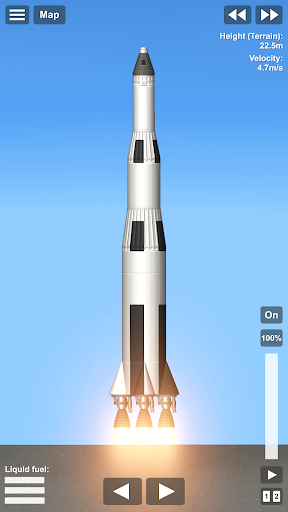
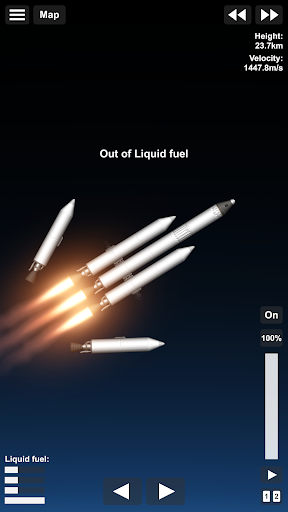
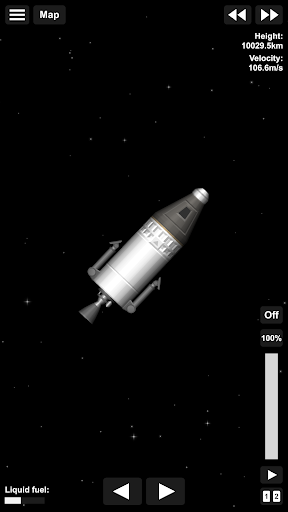
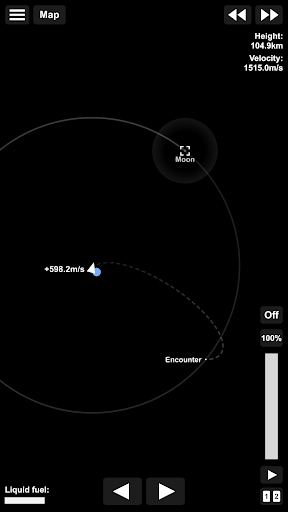
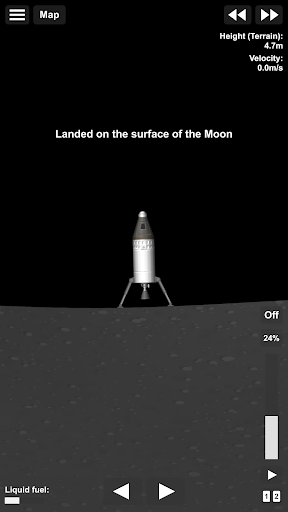
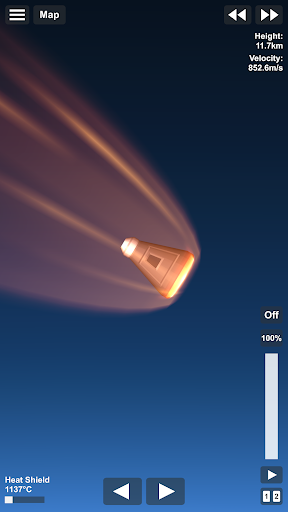
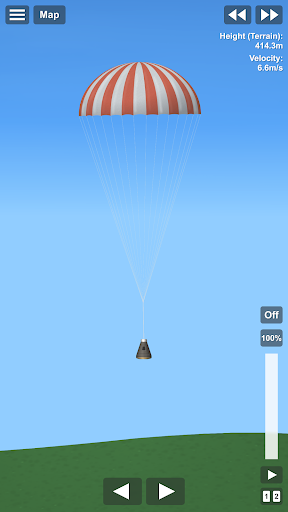
Analysis by Reviewed APKs
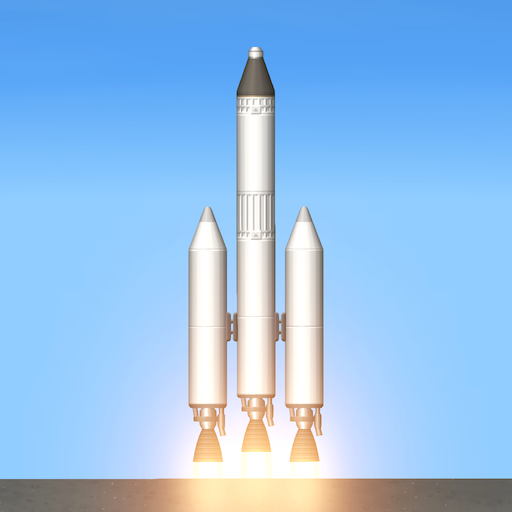
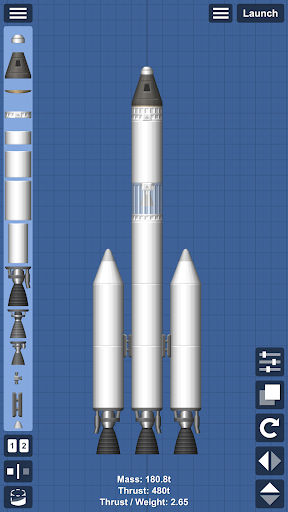
Spaceflight Simulator is a hands-on rocket-building and spaceflight game for people who enjoy tinkering as much as reaching a destination. You assemble a rocket from parts, launch it, and work toward orbital flight or a landing on another world. I like that the central challenge comes from figuring out how a spacecraft should work, rather than following a string of unrelated tasks. It rewards patience and curiosity.
Build, launch, and adjust
A typical session starts with a plan: choose parts for a rocket, put them together, and see whether the design can carry you where you want to go. A launch is only the beginning. Getting into orbit, changing course, or attempting a landing asks you to think about how your craft moves through space. When a design falls short, the useful next step is to reconsider the build, not just press ahead.
What appeals to me about this loop is that progress comes from understanding the problem. A rocket that can leave the ground is not automatically suited to a longer trip, and a destination makes you think about what the craft needs to accomplish along the way. The game describes its physics and orbital mechanics as realistic, so launches and travel are framed around those systems rather than arcade-style shortcuts.
For patient space tinkerers
Compared with a more guided space game, Spaceflight Simulator puts the emphasis on designing your own rocket and learning through attempts. It suits players who like to experiment, make small adjustments, and see how a vehicle behaves. The open universe and the prospect of reaching places such as the Moon or Mars give those experiments a clear purpose without making every session depend on a prescribed mission sequence.
This is not the best fit if you want a fast, hands-off ride or a steady stream of simple objectives. The main appeal is the process of building and flying, and that can mean taking time to work toward a successful trip. I would also distinguish it from a broad astronomy reference: the supplied description centers on constructing rockets and exploring, rather than presenting a catalog of lessons about celestial bodies.
Start with a modest flight
In the first hours, I would keep the goal small. Begin by learning how your chosen rocket behaves on launch, then build toward reaching orbit before aiming for a landing. That gives you a chance to understand the relationship between the craft you assemble and the flight you want to make. Trying to solve a long journey before you have a feel for basic flight can turn an interesting puzzle into a frustrating one.
Treat each attempt as a chance to adjust one part of your plan. If a rocket does not reach the intended goal, look at the design and the flight objective before rebuilding everything at once. The game also provides video tutorials for orbit and Moon landing, which can help when those milestones feel unfamiliar. I would use them as a reference while still giving myself room to experiment.
More From Our News Desk

Zoom Meetings, Google Meet, or Teams: Which Is Easiest to Join?

How I Build a Free Streaming Lineup With Tubi

Why Crunchyroll Is the Default Anime App for So Many Fans

YouTube TV: A Practical Guide to Cutting Cable

Rummikub and the Small Comfort of Phone Games

TeamViewer Remote Control or AnyDesk for Helping Family?
Who will enjoy the challenge
I would recommend Spaceflight Simulator to players who enjoy building things, testing an idea, and gradually learning why one design works better than another. It is a particularly good match for anyone curious about rockets and orbital travel who wants to take an active role in getting a spacecraft off the ground. The destinations, from the Moon and Mars to other listed bodies, give experimentation a satisfying sense of scale.
Players who prefer immediate action, short guided objectives, or a forgiving experience with little trial and error may bounce off it. The core loop asks you to care about both construction and flight, so it is less suited to someone who only wants to admire space scenery. If you enjoy the thought of working toward a difficult landing rather than being handed one, the learning curve is part of the attraction.
Spaceflight Simulator is a free simulation game from Team Curiosity ✦. On Google Play, it has over 10 million installs and a 4.8-star rating from around 595,000 ratings. The game is rated Everyone, and it contains no ads. Its listed release date is November 30, 2017, and the current version is 1.6.00.22.
The game offers in-app purchases, with listed items priced from $2.99 to $11.99 each. That means the free download is not the same as a promise that every available option is included at no cost. The store gives the practical purchase details; I would check there before buying anything, especially if you are considering an expansion.
The Work Behind Every Spaceflight
Learning the launch
The opening challenge is getting comfortable with the idea that your spacecraft starts as a collection of parts you arrange yourself. The description does not frame the game as a sequence of preset rides; it invites you to create a rocket and launch it. That gives the first flight a personal quality. You are not just watching a mission unfold; you are testing a design you put together.
I would approach onboarding as a gradual set of milestones rather than a race to the farthest planet. Reaching orbit is a useful early target, and the provided orbit tutorial gives players a way to look for help. A Moon landing tutorial is available too, but I would save that for after the basics feel less daunting. The more modest the first goal, the easier it is to learn from each attempt.
Progress at your own pace
The game’s progression is tied to what you can accomplish with your rocket and your growing understanding of flight. Reaching orbit, then taking on a trip to the Moon or Mars, gives that learning a natural direction. The supplied description also presents the universe as open, with distant places reachable rather than blocked by invisible walls. That makes ambition part of the pacing: you decide how far to push a session.
This structure is appealing, but it can ask for patience. A difficult flight may call for a rethink of the rocket or the route, and the game’s realistic-physics framing suggests that success is not simply a matter of tapping through a checklist. I like that the targets can be self-directed, though players who want frequent, clearly marked rewards may find the pace less satisfying.
A solar system to explore
The included destinations give players plenty to aim for. The described solar system includes Mercury, Venus, Earth, the Moon, Mars, Phobos, Deimos, Ceres, and a near-Earth asteroid. Those places are not interchangeable backdrops: the description calls out features such as Venus’s dense, hot atmosphere and Mars’s thin atmosphere, giving destinations different character as you consider where to travel.
Two expansions extend the destination list. The Gas Giants Expansion adds Jupiter and Saturn with several of their moons, while the Ice Giants Expansion adds Uranus, Neptune, and Pluto along with moons including Triton, Titania, and Charon. I also like that the game encourages recreating familiar SpaceX, Apollo, and NASA launches. Those ideas give players different ways to set a goal, whether they want to explore or recreate a launch they know.
Free to start, purchases available
Spaceflight Simulator is free to download and contains no ads, which keeps the experience from being interrupted by advertising. It does offer in-app purchases, with listed items ranging from $2.99 to $11.99. The description identifies the gas-giant and ice-giant destination sets as expansions, so players interested in those areas should review the store details and purchase options before deciding what they want.
For fairness, I would separate the core appeal from the extra destinations: building rockets and attempting spaceflight are the game’s central ideas, while the named expansions add more places to explore. The available information does not spell out every purchase boundary, so I would not assume every planet or moon is part of the free experience. A quick store check helps set expectations before you invest time or money.
Keep the learning curve in mind
The main limitation is the amount of thought the game asks from you. Rocket design and orbital travel are the point, but they may feel like work if you hoped to launch casually and reach a destination on the first try. The open-ended setup also means that players who rely on a tightly guided mission list may need to set their own short-term goals to keep a session focused.
The supplied information does not specify whether play requires an internet connection, or provide device requirements beyond the game’s Android availability. Those details are worth checking in the store if they matter to your plans. What is clear is that the game is built around ambitious flights and a broad set of destinations, so I would choose it for the engineering-flavored challenge, not for a quick, low-effort distraction.
Spaceflight Simulator makes the appeal of spaceflight practical: build a rocket, try to fly it, and work toward more demanding destinations. Its strongest quality is how naturally construction and exploration feed into each other. I find that more compelling than a game that only asks me to watch a launch or follow a fixed route.
I recommend it to patient players who enjoy experimentation and have some curiosity about orbital travel. If you want instant action or a highly guided pace, it may not click. Start with a modest flight, use the orbit tutorial if needed, and let the bigger journeys become goals rather than expectations for your first session.
Spaceflight Simulator Frequently Asked Questions
Is Spaceflight Simulator free to play?
Yes. Spaceflight Simulator is free to download on Google Play. It also offers in-app purchases, so free access does not necessarily include every available option. If you want to know what a particular purchase includes, check the current store details before buying.
What in-app purchases does Spaceflight Simulator have?
The game offers in-app purchases, with listed items priced from $2.99 to $11.99. The description names gas-giant and ice-giant expansions that add destinations, but check Google Play for current purchase details and exactly what each item includes.
Can I play Spaceflight Simulator offline?
The available game information does not specify whether an internet connection is required for play. Connection needs can vary by app version or feature, so check the Google Play details or the game’s current information if offline access is important to you.
What devices and Android version does Spaceflight Simulator need?
Spaceflight Simulator is an Android game, but a minimum Android version is not provided in the available details. Compatibility can depend on your device and the current release, so check Google Play from the device you plan to use.
Is Spaceflight Simulator suitable for children?
Google Play rates Spaceflight Simulator Everyone. That rating indicates its store content category, but each family can have its own preferences about a game focused on building rockets and attempting spaceflight. A parent or guardian can review the current store page and decide whether it suits a particular child.
Pros
- Rocket building and spaceflight are closely linked, making each launch a test of your own design.
- A wide range of planets, moons, and asteroids gives players long-term destinations to work toward.
- Orbit and Moon-landing video tutorials offer help with two major milestones.
- No ads interrupt the experience, and the game is free to download.
Cons
- The focus on realistic flight can demand patience and repeated experimentation.
- Players who want tightly guided missions may need to create their own short-term goals.
- Some destinations are tied to in-app expansion purchases.
- Category
- Simulation
- Version
- 1.6.00.22