Geometry Dash
- 1.05M
- 4.7
- Installs
- 5.00M
- Price
- $2.99
Screenshots
Analysis by Reviewed APKs
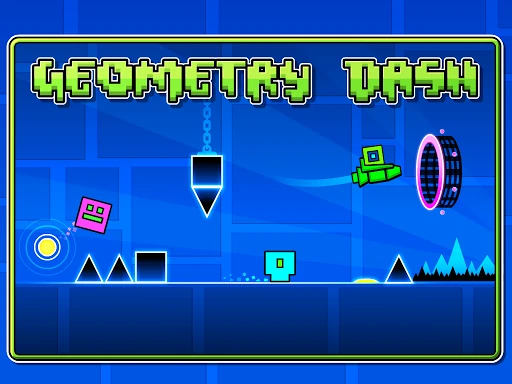
Geometry Dash is a rhythm-based arcade platformer built around one-touch jumps, airborne sections, and obstacles that punish mistimed moves. I find it best for players who enjoy repeating a short stretch until their timing clicks, rather than exploring at a relaxed pace. Its clear controls and music-driven action make it easy to pick up, but the steep challenge means patience matters more than quick reflexes alone.
One Tap, Many Retries
A typical session is a string of attempts at a level: I tap to jump, watch the character move automatically through the course, and try to time each action around the hazards and the music. The controls are simple, but the spaces between obstacles can be unforgiving. A small timing error can end a promising run, so I quickly found myself restarting with a sharper idea of where the tricky section begins.
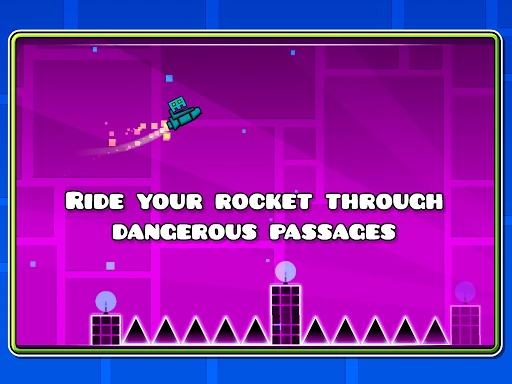
The rhythm gives each attempt a satisfying sense of flow when I settle into a level’s pattern. Spikes and narrow passages demand attention, while flying and gravity-flipping sections change how I read the route. In practice mode, I can work on sharpening my skills rather than treating every run as a single all-or-nothing effort. It is still demanding, but breaking a challenge into practice makes the learning process feel more manageable.
For Players Who Persist
Compared with a slower platform game built around exploration, Geometry Dash is much more focused on timing, repetition, and learning a fixed course. I would recommend it to players who like chasing a clean run and can enjoy gradual improvement, even when progress comes one obstacle at a time. Its one-touch approach is welcoming at first glance, and the rhythm-based action gives each level a distinctive pulse.
This is not a casual game in the sense of offering a gentle, low-pressure stroll through its challenges. The description calls the challenge near impossible, and that gives a fair idea of the attitude required. Players looking for a story-led journey, relaxed wandering, or forgiving mistakes may find the repeated failures frustrating. I see its appeal less in breezing through content and more in the moment a difficult sequence finally feels readable.
Start With Practice
In my first hours, I would resist the urge to treat every failed run as wasted time. Watch for the point where a section catches you, then use practice mode to sharpen that part of your timing. The one-touch controls are easy to understand, so most of the early learning is about recognizing when to tap and how a change in movement alters the next obstacle.
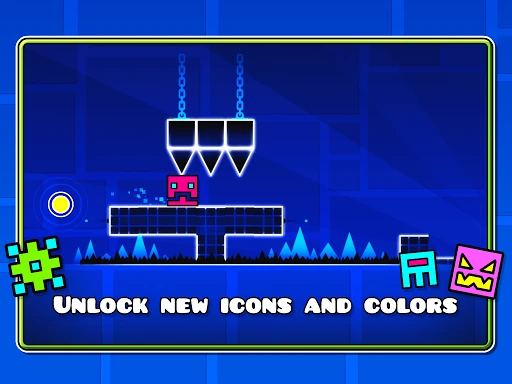
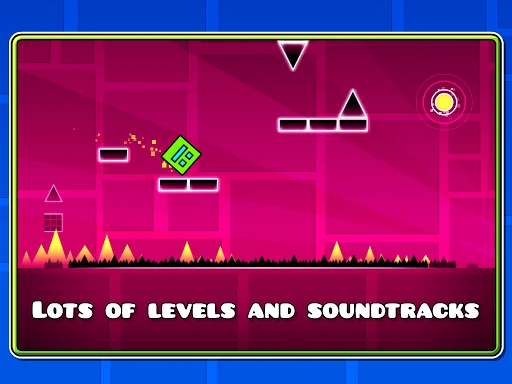
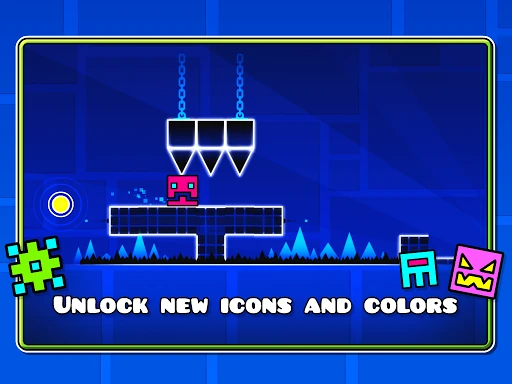
It also helps to listen to the level’s soundtrack instead of treating it as decoration. The game pairs levels with distinct tracks, and the rhythm-based design makes the beat useful context as I learn a sequence. I’d focus on one level at a time and give myself room for repeated attempts. Unlockable icons and colors offer customization along the way, but learning the route is the practical priority.
More From Our News Desk

Zoom Meetings, Google Meet, or Teams: Which Is Easiest to Join?

How I Build a Free Streaming Lineup With Tubi

Why Crunchyroll Is the Default Anime App for So Many Fans

YouTube TV: A Practical Guide to Cutting Cable

Rummikub and the Small Comfort of Phone Games

TeamViewer Remote Control or AnyDesk for Helping Family?
Who Will Enjoy the Challenge
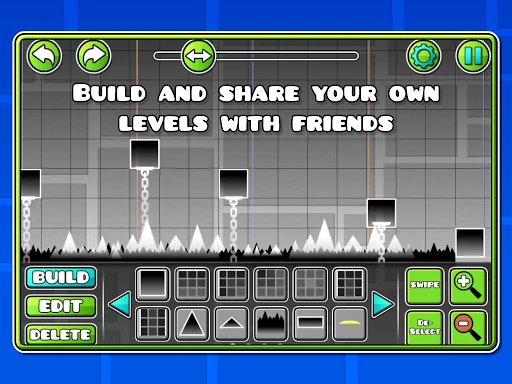
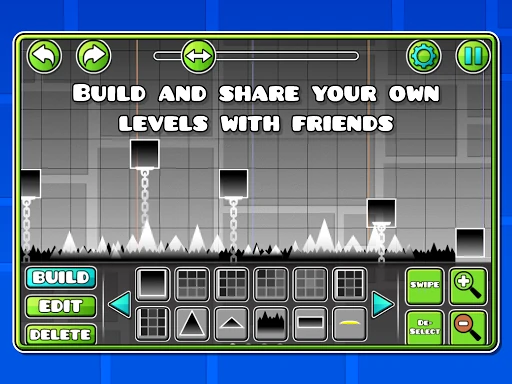
I’d recommend Geometry Dash to players who like arcade games with direct controls and a high skill ceiling. It fits a short break if I’m happy to make several attempts at the same obstacle, and it can also hold my attention for a longer session as I work toward a cleaner run. The level editor and ability to share created levels add another angle for people who enjoy making challenges, not just clearing them.
Players who want a forgiving game to dip into without much concentration may bounce off. The quick restarts can make repeated failure feel motivating, but they can also become tiring if I’m not in the mood to focus. It is a better match for people who enjoy practice and precision than for anyone expecting a relaxed platforming tour. The simple input does not mean the underlying challenges are simple.
Geometry Dash is developed by RobTop Games and is a paid Android game. Google Play shows a price of $2.99, over 5 million installs, and a 4.7-star rating from about 1.05 million ratings. It has no in-app purchases and contains no ads, so the listed purchase is the main price detail to consider.
The game is rated Everyone 10+ and requires Android 6.0 or later. The current version shown is 2.2.144, and its release date is August 12, 2013. Those details make it straightforward to check whether an Android device meets the stated minimum before buying; the rating also gives families a useful starting point when considering the game.
Learning the Rhythm of Each Run
A Clear First Step
Geometry Dash does not ask me to master a complicated control scheme before I can begin. Its central input is a tap, and the game’s premise—move through a hazardous course with jumps and other movement changes—is immediately understandable. When I first opened it, that simplicity made the basic goal obvious. The challenge comes from applying that input at exactly the right moment, not from memorizing a long list of buttons.
That quick start should not be mistaken for a gentle onboarding curve. The description frames the game as a near-impossible challenge, and early mistakes are part of learning how a level behaves. I found it useful to pay attention to the obstacle pattern and soundtrack instead of tapping in a panic. Once I stopped treating each run as a reflex test alone, the repeated attempts started to feel more instructive.
Progress Through Practice
The progression is built around improving your performance and taking on levels with distinct soundtracks and hazards. The game includes practice mode, which gives me a way to sharpen my skills before relying on a full run. That matters in a platformer where one bad tap can end a promising attempt. Rather than expecting steady, effortless forward movement, I approach progress as learning the timing and getting a little farther.
The pacing can be intense because the action is designed around quick reactions, but each retry is brief enough that I can try again without a long setup. I still need patience: a repeated section can become frustrating if I expect it to yield immediately. Practice mode is the practical counterweight. It gives determined players a tool for working on difficult parts, while the demanding style remains central rather than disappearing.
Levels, Creation, and Rewards
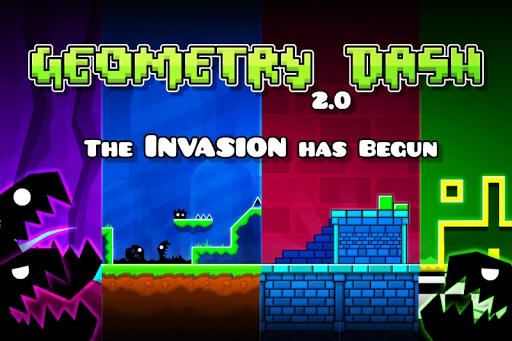
The game’s core is rhythm-based action platforming, with levels that pair hazards and movement with unique soundtracks. I jump, fly, and encounter gravity-flipping sections, so the route is not only a matter of tapping at a steady interval. Those changes keep the basic one-touch idea from feeling entirely static. The obstacle patterns ask me to respond to what is ahead, while the music helps give each level its own character.
There is also a level editor for building and sharing levels, which broadens the appeal beyond clearing the included challenges. I like that the game supports both playing and creating, especially for someone who wants to make their own obstacle course after learning the basic language of the levels. Customization adds another small reward: I can unlock icons and colors for my character, alongside achievements and other rewards.
A Simple Purchase Model
On Google Play, Geometry Dash costs $2.99. It has no in-app purchases and contains no ads, according to the provided store facts. That makes the spending picture unusually easy to understand: I pay the listed price to get the game, rather than navigating a sequence of optional purchases or interruptions from ads. For a game built around repeated attempts, the lack of ad breaks is a welcome fit for its focused rhythm.
The paid entry price is still worth weighing against how much you enjoy this particular kind of challenge. A player who likes precision and replaying levels may find plenty to work on, while someone who dislikes repetition may not get the same value from it. The level editor and level sharing add creative possibilities, but I would still buy it for the core gameplay first. The store price can be checked before purchase.
Keep the Demands in Mind
The biggest practical demand is attention. Geometry Dash is about timing jumps and navigating hazardous passages, so it is not the game I reach for when I want to divide my focus between several things. Repeated attempts can also take patience. Even though the controls are simple, learning a sequence can require concentration, especially when a run ends just before a section I have been working to clear.
The stated Android requirement is version 6.0 or later. The supplied description and facts do not establish whether play requires an internet connection, so I would check the game’s Google Play details if offline access is important to my routine. Likewise, the content rating is Everyone 10+, which offers a useful age marker, but families should consider the game’s demanding, repeated-failure style as well as the rating.
Geometry Dash gets a lot out of a very small control idea. Its rhythm-driven levels, sharp hazards, practice mode, and level editor give determined players several reasons to keep coming back. I especially like how the soundtrack and movement patterns make improvement feel earned, even when a level has made me restart more times than I planned.
I recommend it to players who enjoy precision platforming and can treat retries as part of the fun. If you want a forgiving game or dislike repeating the same section, this is less likely to suit you. For its $2.99 Google Play price, the straightforward purchase model is appealing, but the demanding play style should be the deciding factor.
Geometry Dash Frequently Asked Questions
Is Geometry Dash free to play?
No. Geometry Dash is a paid Android game, listed on Google Play for $2.99. The game has no in-app purchases, so the listed price is the main purchase cost. Store prices can vary by region or change over time, so check Google Play for the current price before buying.
Does Geometry Dash have in-app purchases or ads?
The provided Google Play facts say Geometry Dash has no in-app purchases and contains no ads. The game does include unlockable character icons and colors, as well as achievements and rewards. Those features are part of the game description; no separate purchase is needed for in-app products according to the supplied facts.
Can I play Geometry Dash offline or online?
The available game details do not specify whether an internet connection is required for all play. Geometry Dash does include a level editor and the ability to share levels, so some sharing activity involves online features. If offline access matters to you, check the current Google Play details and test the game on your device.
Which devices support Geometry Dash?
Geometry Dash is an Android game, and the stated minimum requirement is Android 6.0. Device compatibility can depend on the particular phone or tablet, so it is worth checking Google Play from the device you plan to use. The current version shown in the supplied facts is 2.2.144.
Is Geometry Dash suitable for children?
Geometry Dash has a Google Play content rating of Everyone 10+. Its gameplay centers on navigating hazards through precise timing, and repeated attempts are part of the challenge. Parents can use the rating as a starting point and consider whether that demanding style suits the individual child; store ratings and details may vary by region.
Pros
- One-touch controls make the basic idea easy to understand, even as the levels become demanding.
- Rhythm-based levels pair distinctive soundtracks with jumps, flight, gravity changes, and hazards.
- Practice mode, a level editor, and level sharing add useful ways to engage.
- No in-app purchases or ads are reported in the provided Google Play facts.
Cons
- The near-impossible challenge can make repeated failures tiring for less patient players.
- Its focus on precise timing is a poor fit for relaxed, distracted play.
- The available facts do not establish whether every part of play works offline.
- Category
- Arcade
- Version
- 2.2.144