Minecraft: Java & Bedrock Edition
- —
- —
- Installs
- —
- Price
- Free

Analysis by Reviewed APKs
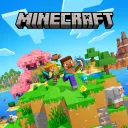
Minecraft: Java & Bedrock Edition is a Windows game from Mojang that combines two editions of Minecraft. Players use it to explore block-based worlds, gather materials, build structures, and play alone or with others. The two editions offer different ways to connect and play, so the bundle gives Windows players a choice between them.
Two Ways to Play Minecraft
Minecraft centers on exploring a world made of blocks and using gathered materials to build or craft. Players can shape their surroundings, create structures, and take on challenges in the game. The Java and Bedrock editions share this broad sandbox premise, but each is a distinct version with its own compatibility and multiplayer ecosystem.
The bundle is useful for players who want access to both editions on Windows rather than choosing one version in advance. It lets users select the edition that suits a particular world or group of friends. The game is open-ended, so play can focus on creative construction, exploration, survival, or a mix of activities.
How The Editions Differ
Java Edition is the version commonly associated with computer play and its own community of servers and player-created modifications. Bedrock Edition is designed for play across supported platforms, allowing multiplayer with people using other Bedrock devices. The editions share the Minecraft name and core style, but a Java player cannot simply join every Bedrock world or server.
This is a game, not a general-purpose building program or a dedicated educational course. It may suit people who enjoy making their own goals, but it is not designed as a conventional story-driven adventure with one fixed route. Players primarily interested in a specific edition’s multiplayer community should check which version their friends use before choosing where to play.
Common Ways To Play
Some players gather resources and build shelter while dealing with hazards in a survival world. Others choose creative building, where the emphasis is on designing structures and experimenting with ideas. Exploration can also be the main activity, with players traveling through generated environments and deciding what to make of the materials they find.
Multiplayer is another common use, whether players meet in a shared world or choose a server compatible with their edition. Bedrock is often the relevant option when playing with friends on other supported devices; Java is commonly used for Java-compatible servers and community modifications. Before starting together, players should confirm they are using editions and multiplayer options that work with one another.
More From Our News Desk

Zoom Meetings, Google Meet, or Teams: Which Is Easiest to Join?

How I Build a Free Streaming Lineup With Tubi

Why Crunchyroll Is the Default Anime App for So Many Fans

YouTube TV: A Practical Guide to Cutting Cable

Rummikub and the Small Comfort of Phone Games

TeamViewer Remote Control or AnyDesk for Helping Family?
Who Might Enjoy It
The bundle can suit Windows players who like creative freedom, exploration, and games that support many different play styles. It is especially practical for people who want to try both Minecraft editions or need to choose an edition based on friends’ devices and preferred multiplayer spaces. Builders, explorers, and players who enjoy setting their own goals may find its open format appealing.
Players looking for a tightly directed campaign, realistic simulation, or a game centered on a fixed sequence of missions may prefer another title. The edition split can also be confusing if a group assumes all versions connect to the same multiplayer worlds. Anyone planning to play with friends should check their edition and platform compatibility first.
Mojang develops Minecraft: Java & Bedrock Edition. The product named here is the Windows offering that includes Java Edition and Bedrock Edition. These are separate versions of Minecraft, so compatibility and available multiplayer options depend on which edition is being used. The game belongs to the Minecraft franchise and is an adventure-style sandbox game.
For safe access, use Minecraft’s official website or the official store on the Windows device. Current availability and pricing can change, and the supplied product information does not establish a price or whether it is free. Avoid unofficial download pages and repackaged copies; the official source is the appropriate place to check purchase and installation details.
Choosing And Playing An Edition
Core Gameplay
Minecraft gives players a block-based world to explore and alter. Gathering materials and crafting support building, while the open-ended format lets players choose their own projects and pace. Survival play adds the challenge of staying safe and managing resources; creative play puts more emphasis on construction and experimentation.
The bundle includes two editions rather than one unified version. Java Edition and Bedrock Edition have different compatibility, multiplayer communities, and player-created content options. Which one is appropriate depends on the people a player wants to join and the kind of community or play experience they have in mind.
Getting Started
Use an official Minecraft source to check the Windows edition’s current purchase and installation process. After installation, choose Java Edition or Bedrock Edition based on the intended activity. Players joining friends should first ask which edition those friends use and confirm that their planned world or server supports the same version.
A new player can begin by creating a world and learning through exploration, building, and crafting. Choosing a play style helps set expectations: survival introduces resource and hazard challenges, while creative play is more focused on making things. The game’s open structure means players can also change direction as they discover what they enjoy.
Tips For Playing Together
Before arranging multiplayer, confirm the edition each person has and the platform they are using. Bedrock supports cross-platform play among supported Bedrock devices, while Java multiplayer uses Java-compatible worlds and servers. The shared Minecraft name does not mean every player can join every session, so checking compatibility beforehand can prevent confusion.
For a solo session, setting a simple goal can make the open world easier to approach. A player might focus on building a home, exploring nearby areas, or collecting materials for a project. Those are suggestions rather than required steps; Minecraft leaves the pace and direction largely up to the player.
Finding The Official Copy
Look for Minecraft: Java & Bedrock Edition through Mojang’s official Minecraft website or the official Windows store. Those sources can explain the current edition, availability, and purchase steps. Store details may vary over time, so readers should check the official listing rather than rely on an outdated price or description from another site.
Avoid unofficial download sites and modified or repackaged copies. A page using the Minecraft name is not necessarily an official source, and its files or claims may be unreliable. Checking the publisher or store identity before downloading is a practical way to reduce the chance of installing something other than the intended game.
Limits To Consider
The two editions have separate compatibility and multiplayer arrangements. Java and Bedrock players generally cannot assume they can join one another’s worlds, and community content or servers may be specific to an edition. A group should settle on a compatible version before buying or setting up a shared game.
The supplied details do not specify current price, system requirements, or a particular Windows release. Those practical details should be confirmed on the official listing for the device in question. Minecraft’s sandbox format may also be less appealing to players who prefer a linear story or a clear set of required objectives.
Minecraft: Java & Bedrock Edition brings two versions of the block-based Minecraft sandbox together for Windows players. Its appeal is the freedom to build, explore, and choose a style of play, while the edition differences matter most when selecting multiplayer worlds or communities.
It is worth considering for players who enjoy open-ended creative and adventure games or want a choice between the Java and Bedrock ecosystems. Those seeking a fixed campaign should compare it with more directed games, and friends should confirm edition compatibility before planning to play together.
Minecraft Frequently Asked Questions
What is Minecraft: Java & Bedrock Edition?
Minecraft: Java & Bedrock Edition is Mojang’s Windows offering that includes two versions of Minecraft. Both use a block-based sandbox format where players can explore, gather materials, and build. The editions differ in compatibility and multiplayer options, so the right choice depends on how and with whom a player wants to play.
Which devices or systems support Minecraft: Java & Bedrock Edition?
The product described here is the Windows version. Java Edition is associated with computer play, while Bedrock is available across supported platforms and can support cross-platform multiplayer with other Bedrock devices. Check the official listing for current device requirements and confirm that friends use a compatible edition before arranging a shared game.
Is Minecraft: Java & Bedrock Edition free?
The provided product information does not establish whether this Windows offering is free or state its current price. Check Mojang’s official Minecraft website or the official Windows store for current purchase details. Pricing and availability can change, so information from older listings may not reflect the present offer.
Where can I get Minecraft: Java & Bedrock Edition safely?
Use Mojang’s official Minecraft website or the official store on the Windows device to find the game and its current installation instructions. Avoid unofficial download pages and repackaged copies. Check that the listing identifies the intended Windows product before downloading or making a purchase.
What are alternatives to Minecraft: Java & Bedrock Edition?
Players can consider other sandbox or building games if they want a different style of play, or choose a single Minecraft edition if they only need one ecosystem. The best alternative depends on whether someone values open-ended building, a directed campaign, or compatibility with a particular group. Check platforms and multiplayer support before choosing.
Pros
- Includes both Java and Bedrock editions for Windows players.
- Supports open-ended building, exploration, and different play styles.
- Bedrock can connect with players on other supported Bedrock devices.
- Java offers a distinct community of compatible servers and modifications.
Cons
- The two editions have separate multiplayer compatibility.
- An open-ended format may not suit players seeking a fixed campaign.
- Current pricing and system requirements need checking on official listings.
- Category
- Adventure