Cube Solver
- 1.53M
- 4.8
- Installs
- 50.00M
- Price
- Free

Screenshots

Analysis by Reviewed APKs
Cube Solver is a puzzle-solving companion for physical twisty puzzles, not a conventional game built around levels or a story. You enter a puzzle’s scrambled state and get a 3D solution, or use the timer and shuffle practice to work on your own speed. I like its practical, hands-on focus: it can help a baffled beginner get unstuck and give regular cubers a useful place to practice.
From Scramble to Solution
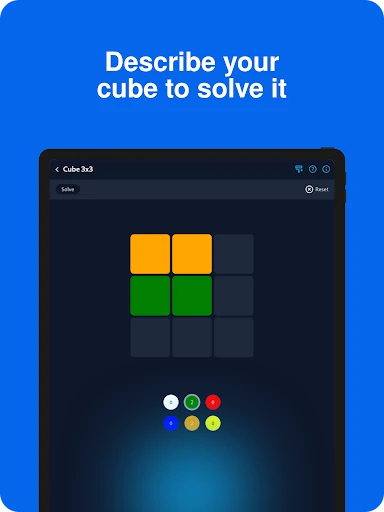
A typical session starts with a physical puzzle in front of me. I describe its current arrangement in the app, then use the resulting 3D solution as a guide to make the moves on the real puzzle. That makes Cube Solver feel more like a pocket helper than a puzzle game: the satisfying part is seeing a confusing scramble become manageable, then carrying out the sequence myself.
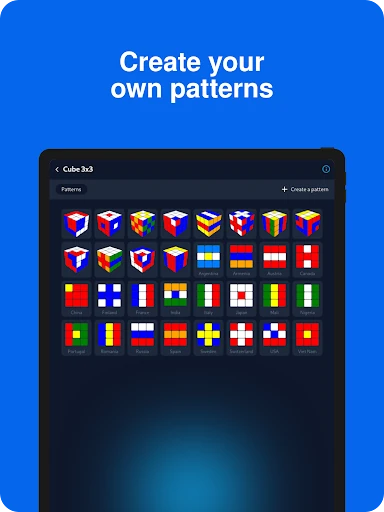
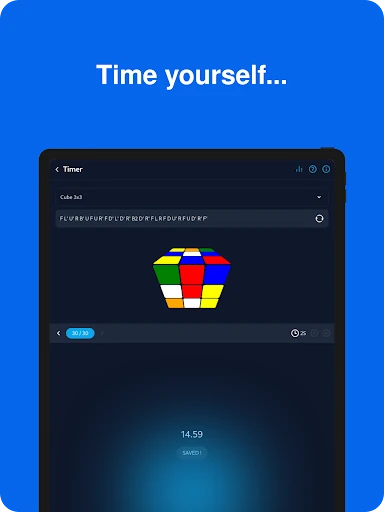
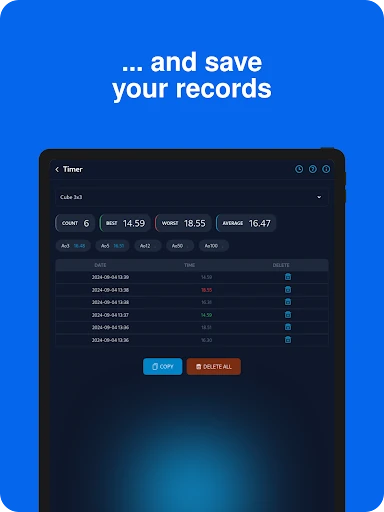
When I want to practice rather than recover a scrambled cube, the app offers random shuffling and a timer with statistics for speedcubing. I can use it for a quick attempt between other tasks or settle in for several timed solves. Lessons provide another reason to open it, while the option to create patterns gives me something more playful to try after the basic solving routine.
A Helper, Not an Arcade Puzzle
Compared with mobile games that present a fresh board and ask me to solve it on-screen, Cube Solver is aimed at people with actual twisty puzzles. Its appeal is the range of physical puzzles it can help with, including several cube sizes and shapes, plus a timer for practicing. If you enjoy learning how a cube works or improving your solve times, that practical emphasis is a good fit.
It is not a story-driven game, a collection of campaign stages, or a replacement for turning a physical cube in your hands. The app can show a solution, but the description does not promise a personalized course of timed challenges or a competitive online scene. I would choose it for guidance and practice, not for the steady stream of unlocks and rewards that keeps some mobile puzzle games moving.
Make the First Solves Easier
For a first try, choose a puzzle type the app supports and take time to enter its current arrangement carefully. The solution depends on describing the puzzle, so rushing that setup is likely to make the process more frustrating. Keep the real puzzle nearby and follow the 3D guidance as you work through the moves rather than trying to memorize a full sequence before you begin.
I would start with the lessons if I were new to solving, then use random shuffles and the timer once the basic process feels familiar. Treat early times as a personal baseline, not a test you need to pass. One practical point: the app says it needs internet access to get a solution, so I would check connectivity before relying on it to rescue a scramble away from home.
More From Our News Desk

Zoom Meetings, Google Meet, or Teams: Which Is Easiest to Join?

How I Build a Free Streaming Lineup With Tubi

Why Crunchyroll Is the Default Anime App for So Many Fans

YouTube TV: A Practical Guide to Cutting Cable

Rummikub and the Small Comfort of Phone Games

TeamViewer Remote Control or AnyDesk for Helping Family?
Who Will Get the Most from It
I would recommend Cube Solver to anyone who owns a Rubik’s Cube or another supported twisty puzzle and occasionally gets stuck, as well as to people who want a timer and shuffle practice in one app. Beginners may appreciate having lessons alongside a way to check a scramble, while experienced cubers can use the timer and statistics to keep track of practice sessions.
Players looking for a self-contained mobile puzzle campaign may bounce off it. Much of the appeal depends on having a physical puzzle to turn, and the app’s solving feature asks you to enter that puzzle’s state. If you prefer quick taps, escalating levels, or a story to follow, this is a more utilitarian experience than a typical puzzle game. Its best audience is curious cubers who like learning by doing.
Cube Solver is made by LOLAGRE and is free to download on Google Play. It has over 50 million installs and a 4.8-star rating from around 1.5 million ratings. The game contains ads, but the provided store facts say it does not offer in-app purchases. Its content rating is Everyone, making it broadly suitable by the store’s age classification.
The listed Android requirement is 6.0 or later. The current version in the provided facts is 4.6.1, and the release date is December 16, 2018. These details give a quick sense of the app’s reach and basic compatibility; players should still check Google Play for the latest version and device details before installing.
Turning a Physical Scramble into Practice
Getting Set Up
The central setup is straightforward in concept: choose the kind of puzzle you have, describe its arrangement, and request a solution. That first part is also where patience matters most. Cube Solver is helping with a physical object, so there is no shortcut around recording the state accurately. When I first opened an app of this kind, I found it helpful to keep the puzzle in view and work methodically instead of entering colors from memory.
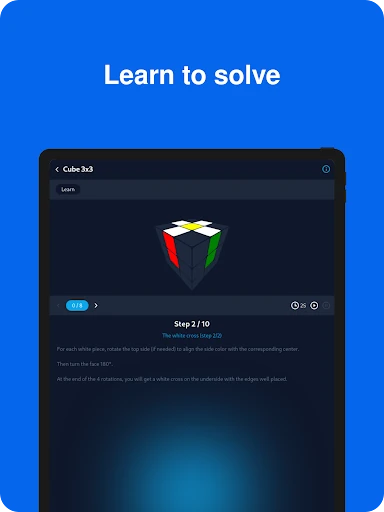
The 3D solution gives the guidance a visual form, which suits a task that is all about changing the puzzle one move at a time. Lessons are available for learning to solve, so a new cuber has somewhere to turn beyond a one-off answer. I would treat those lessons and the solver as complementary: one can help with a scramble in front of me, while the other supports learning the solving process.
Progress at Your Pace
Cube Solver does not describe a conventional level ladder, so progression is better understood as improving at the physical puzzle. The timer and full statistics give repeated practice a sense of continuity: I can shuffle, attempt a solve, and look at how my sessions are going. That is a quieter kind of progress than earning a new stage, but it may be more meaningful for players who want to get faster.
The app’s stated move counts also set expectations for the solutions it provides. For example, it gives an average of 27 moves for a classic 3x3 solve and 63 for a 4x4, while some smaller or differently shaped puzzles have maximum move counts described. These are solver details, not difficulty levels. The pace ultimately comes from how quickly I can enter and turn the physical puzzle.
More Than One Cube
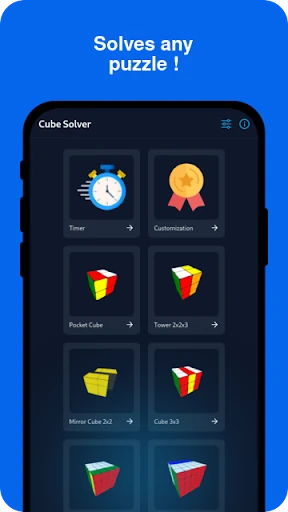
The range of supported puzzles is a notable strength. The description covers Pocket Cube, Mirror Cube 2x2, Tower Cube, the classic 3x3, Rubik’s Revenge 4x4, 5x5, Skewb, Skewb Diamond, Pyraminx, and Ivy Cube. That means a household with more than one kind of twisty puzzle can use a single app for several of them, rather than treating the solver as a one-cube tool.
There are a few extras beyond solving a scrambled puzzle. Random shuffling and a timer support speedcubing practice, the timer keeps full statistics, and lessons are included for learning. I also like the small creative outlet of making custom patterns. Those features do not turn the app into a broad collection of unrelated mini-games, but they give cubers different reasons to return.
Ads and Overall Value
Cube Solver is free to download and contains ads, with no in-app purchases in the provided store facts. That is a simple spending picture: there is no stated purchase menu to weigh against the solving tools, though advertising is part of the experience. I would keep that in mind if I planned to use the app during frequent practice sessions, where interruptions can feel more noticeable than during an occasional solve.
For a free utility-style game, the combination of several puzzle types, lessons, a timer, and statistics gives it more range than a basic single-purpose solver. Still, value depends on whether I own a physical puzzle and want help with it. Someone who only wants a polished mobile game may not get much from those tools, while a regular cuber could find the free access appealing.
A Few Practical Limits
The clearest practical limitation is connectivity: the description says an internet connection is needed to get a solution. That matters if I have a scrambled cube on a train or somewhere with unreliable service. The app also asks for manual description of the puzzle, which means it is not simply a matter of pointing a camera at a cube and expecting the app to read it.
The experience also depends on having a supported physical puzzle and enough patience to follow its solution. The provided facts give an Android minimum of 6.0, but do not describe particular performance demands or how the timer behaves without a connection. For dependable use, I would check the current store information for my device and plan on internet access when asking for a solve.
Cube Solver works best when I think of it as a practical cubing companion rather than a traditional mobile game. Its combination of a 3D solver, lessons, custom patterns, and timed practice covers several useful needs without asking me to buy into a long progression system. Ads and the internet requirement for solutions are worth considering, but neither changes the basic appeal for hands-on puzzle fans.
I recommend it to beginners who want help learning and to regular cubers who would use the timer or solve tools. If you do not own a physical twisty puzzle, or want a level-based game you can play entirely on-screen, this probably will not hold your attention. For cubers with a scramble to tackle, it is a focused and approachable option.
Cube Solver Frequently Asked Questions
Is Cube Solver free to download?
Yes. Cube Solver is free on Google Play. It contains ads, and the provided store facts say it does not offer in-app purchases. Store details can change, so it is worth checking Google Play for the current information before downloading.
Does Cube Solver have in-app purchases?
The provided facts say Cube Solver does not offer in-app purchases. The app does contain ads. If you want to confirm the current setup, check its Google Play page, since store details can vary over time.
Can I use Cube Solver offline?
The description says Cube Solver needs internet access to get a solution. It does not specify whether every other feature works offline, so I would not rely on offline access for all uses. Check the store information if offline play is important to you.
What devices can run Cube Solver?
Cube Solver is an Android app, and the listed minimum requirement is Android 6.0. Device compatibility can depend on the particular phone or tablet, so check Google Play for the current requirements and availability on your device.
Is Cube Solver suitable for children?
Google Play gives Cube Solver an Everyone content rating. It is a puzzle-solving and practice app for twisty puzzles, with ads. Parents who want details about the current store rating or content should review its Google Play page.
Pros
- Solves a wide selection of physical cubes and twisty puzzles.
- Combines 3D solve guidance with lessons and timed practice.
- Free to download, with no in-app purchases in the provided facts.
- Custom patterns offer a creative change from solving scrambles.
Cons
- Getting a solution requires internet access.
- Entering a puzzle’s arrangement takes care and can slow down a quick solve.
- Ads may interrupt sessions, and the app is most useful with a physical puzzle.
- Category
- Puzzle
- Version
- 4.6.1